You can now add your Bluesky account to Aiir, to use in Studio Inbox and Social Publisher!
Bluesky joins WhatsApp, Facebook, Instagram, SMS, mobile app messages, email, RSS and web forms in making Studio Inbox an incredibly powerful way to keep in touch with your listeners, all on one screen.
Get started
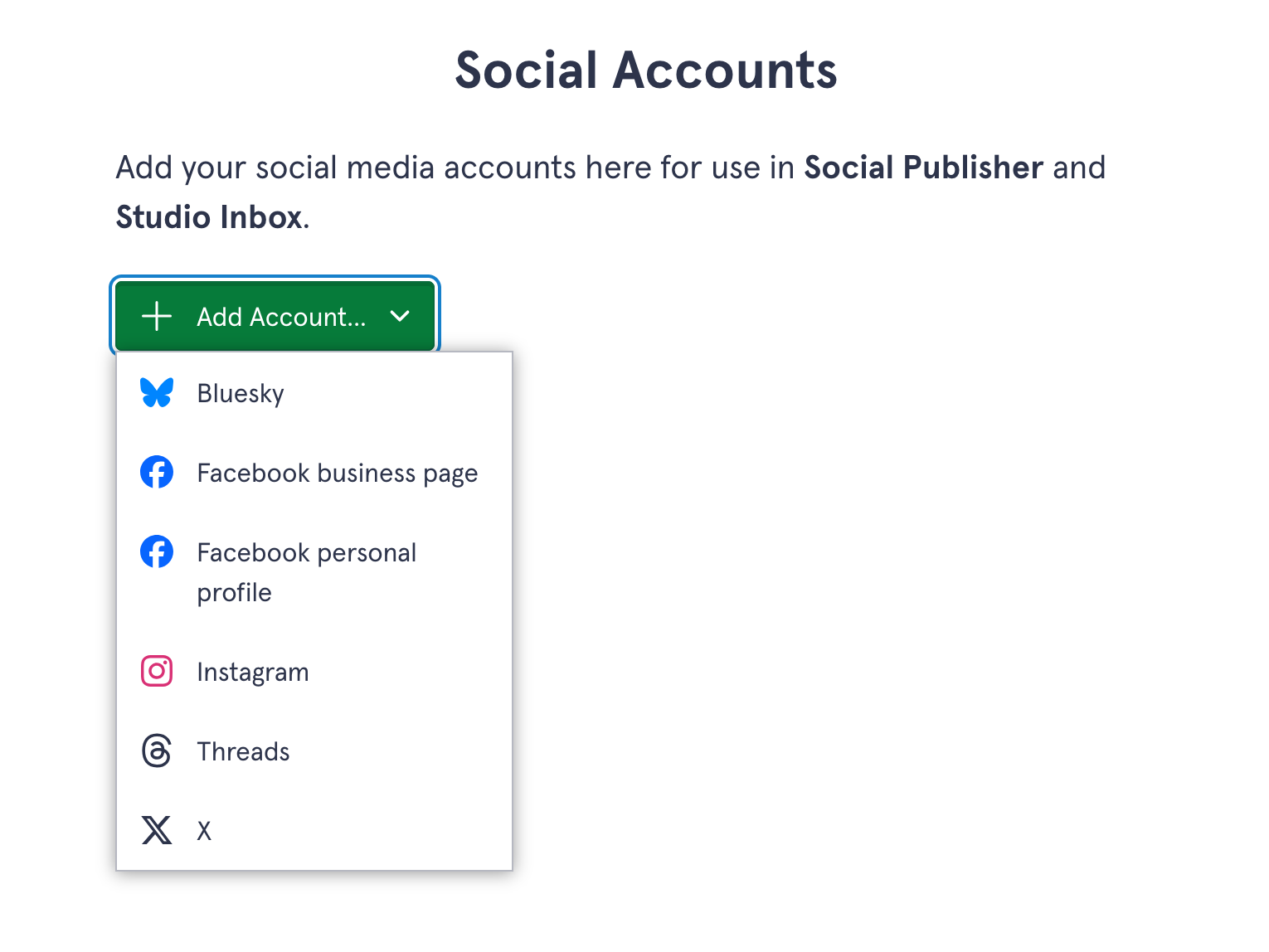
First up, you need to add your Bluesky account to Aiir. An administrator or owner can go to the Admin section, then tap "Add or remove social accounts".
You can choose Bluesky from the "Add account" menu:
Next, head to your Bluesky account to create an "app password". Then paste that and your handle into the boxes:
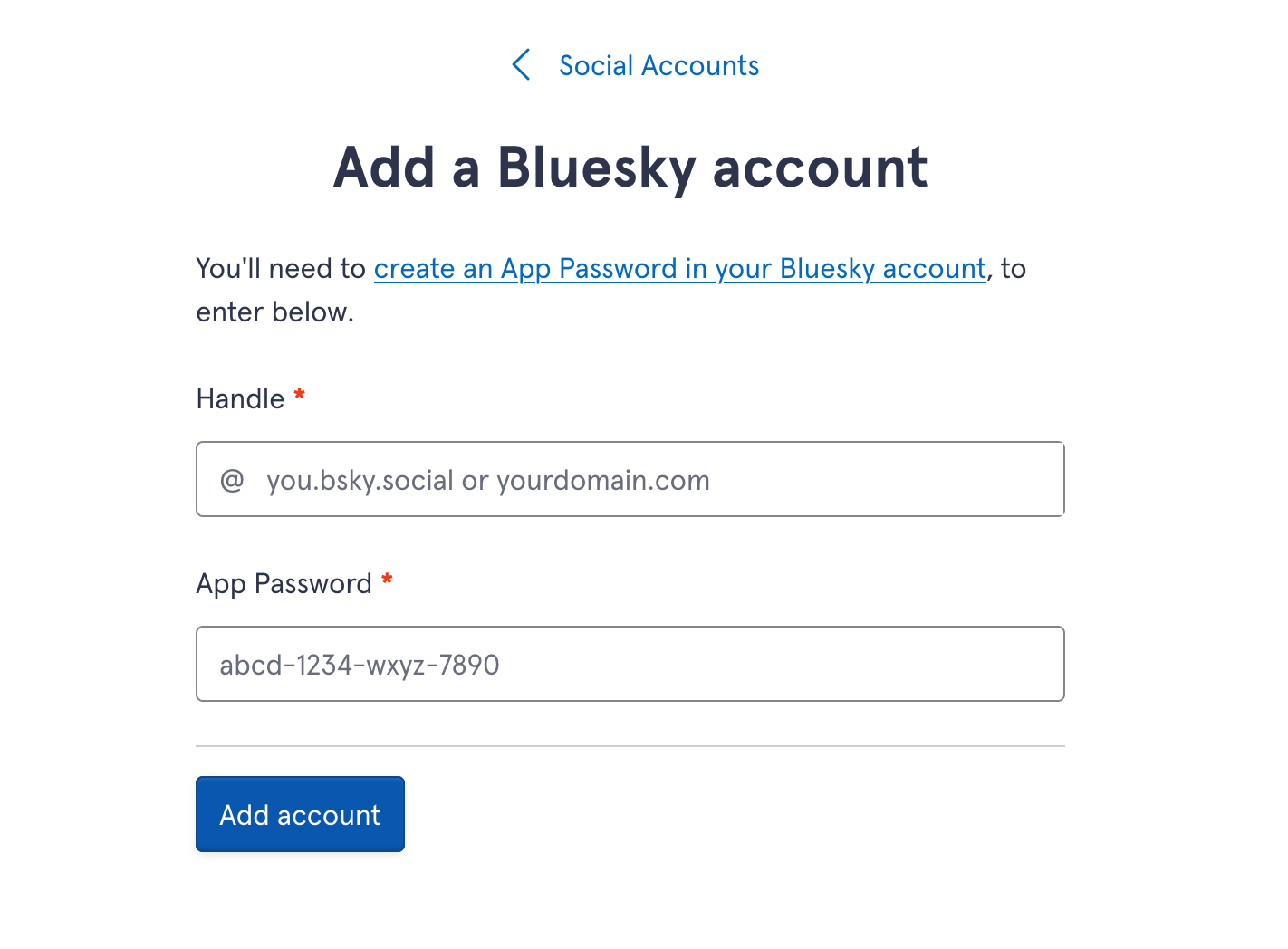
And you're good to go! You can choose who has access to this account in Aiir. Only they will be able to post to it in Social Publisher, or add it to a column in Studio Inbox.
Post to Bluesky in Social Publisher
Posting to Bluesky is just like posting to any other social network in Aiir.
You can enter a message and then attach up to 4 images or a link.
Schedule a message to post later, or post right way - the choice is yours.
Bluesky in Studio Inbox
With Bluesky in Studio Inbox, you'll be able to see your own posts, direct replies to your posts, and @mentions of your handle, all in one place.
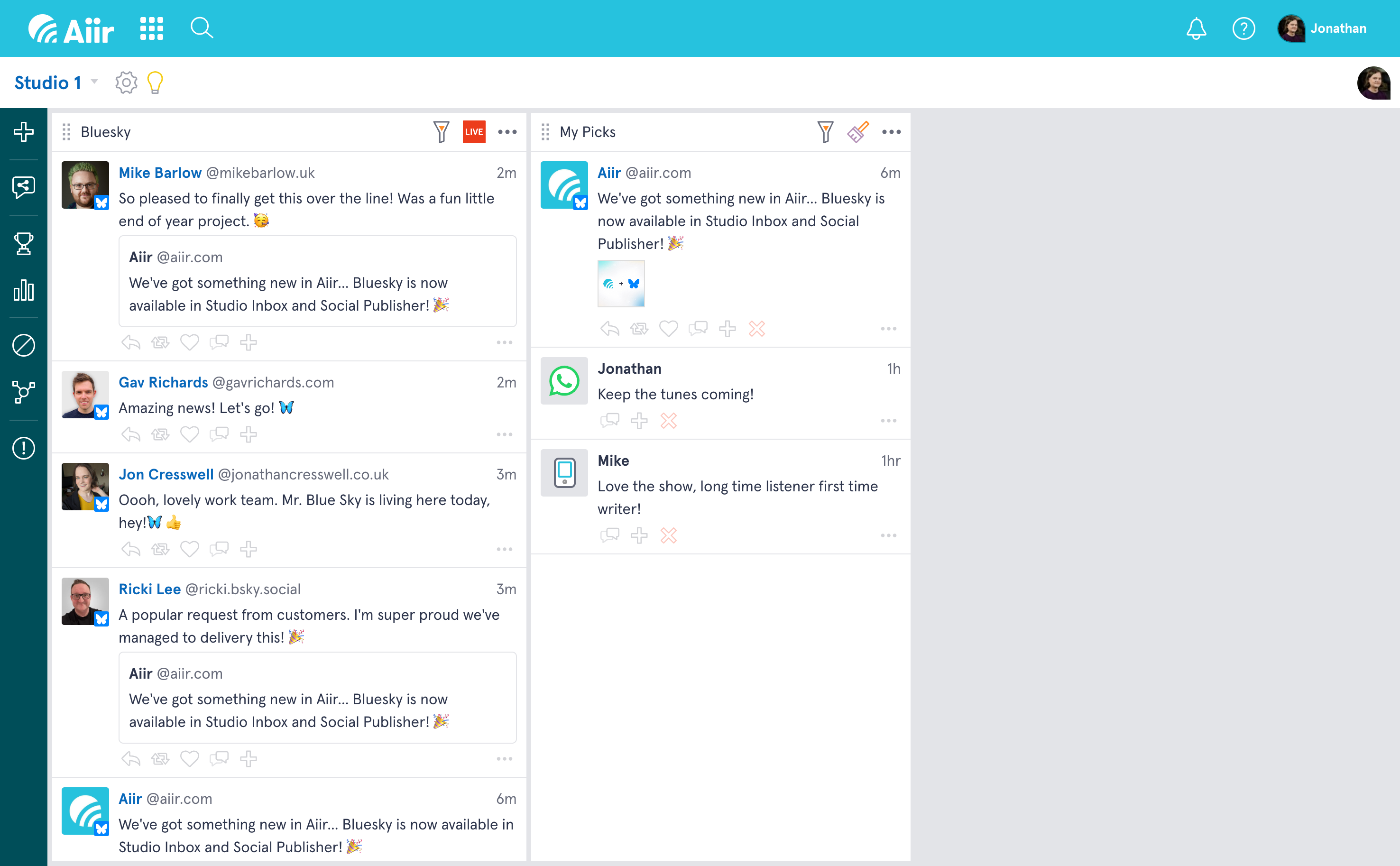
You'll see attachments and quoted posts, and you can reply, repost, like and follow too.
Just like other posts in Studio Inbox, you can drag a Bluesky post to a "curated column", so you can stack them ready to read on air, or reference later. You can also block a sender, run a poll, or filter posts for keywords!
Aiir's integration with Bluesky for radio stations means you can post content and manage listener interaction, and control who has access, all in one place.
It's available today!