We've got a small bundle of improvements to share for Aiir's Alexa Skills.
First up - you can now have Alexa announce the name of who is on air, before the stream starts playing.
Here's an example of how this might sound:
You: "Alexa, open Kiss 97.3"
Alexa: "Welcome to Kiss 97.3. This is Breakfast with Laura Grace"
(live audio starts playing)
This information is powered by Aiir's Programme Information tool. If you've already set up your schedule there, then enabling this feature is as simple as flicking a switch.
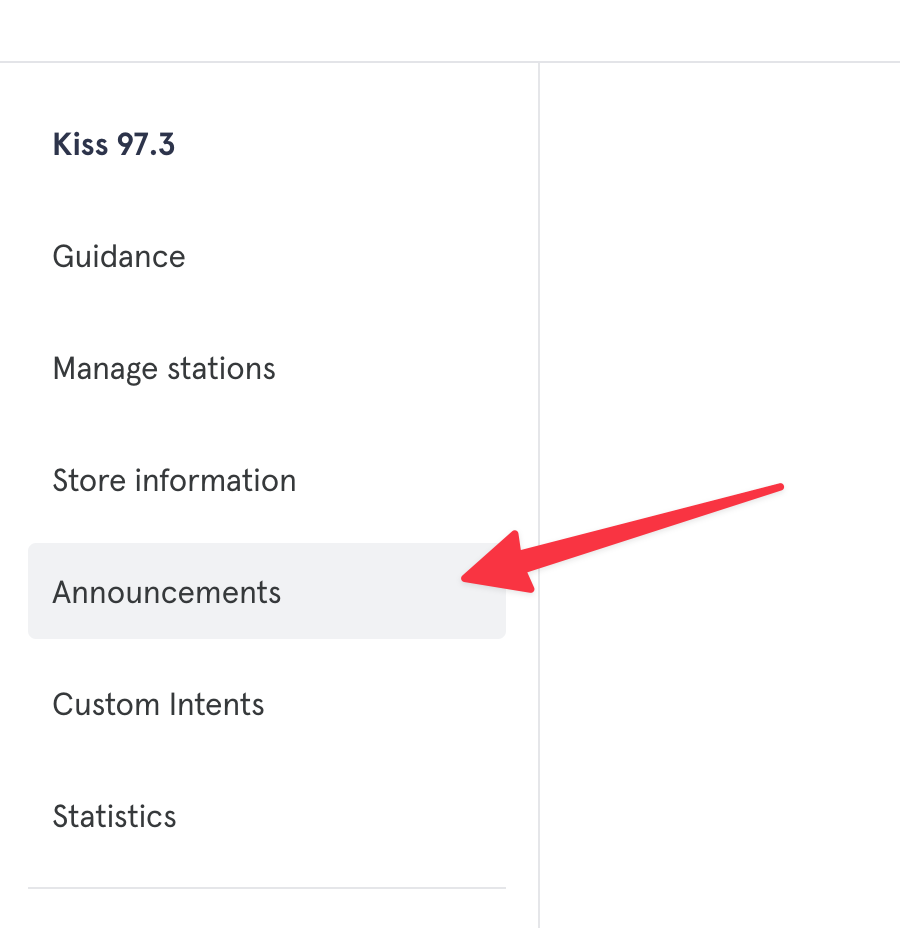
Head to the Alexa Skills section, select your skill, and then tap on the new "Announcements" section.
Then turn on "Announce the programme on air now":
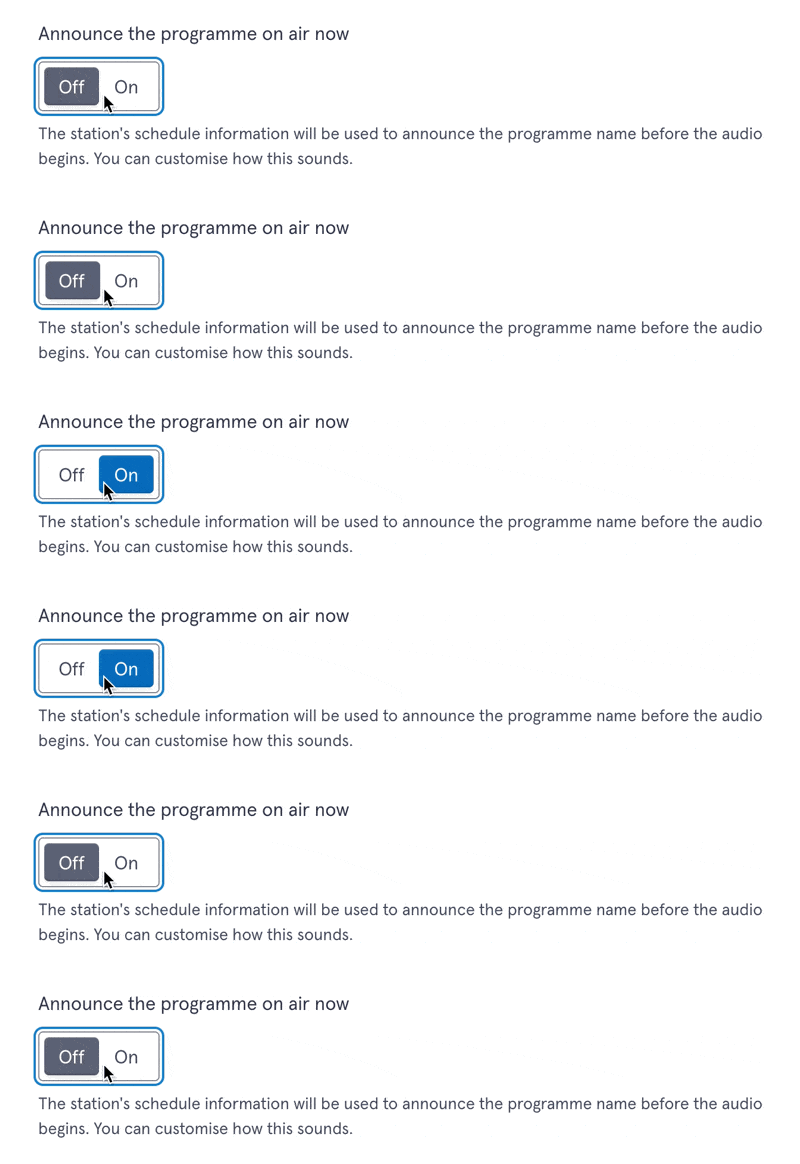
By default, Alexa will say "This is {programme name}" but you can change this if you like.
We've also added the ability to change how Alexa will say each programme's name. So if it doesn't sound quite right, or if you want to add something extra like a sponsor's name, you can now edit a programme and tap "Change how the name is spoken by services like Alexa".
It will also be used if you ask your skill "who is on air".
Next - you can now specify alternative invocations for stations in a multi-station Alexa skill.
So if a listener might mispronounce or say a variation on a station name, you can add it so Alexa will recognise it as the same station.
To do this, head to the "Manage stations" page, select the station, and then tap "Add alternative invocation names".
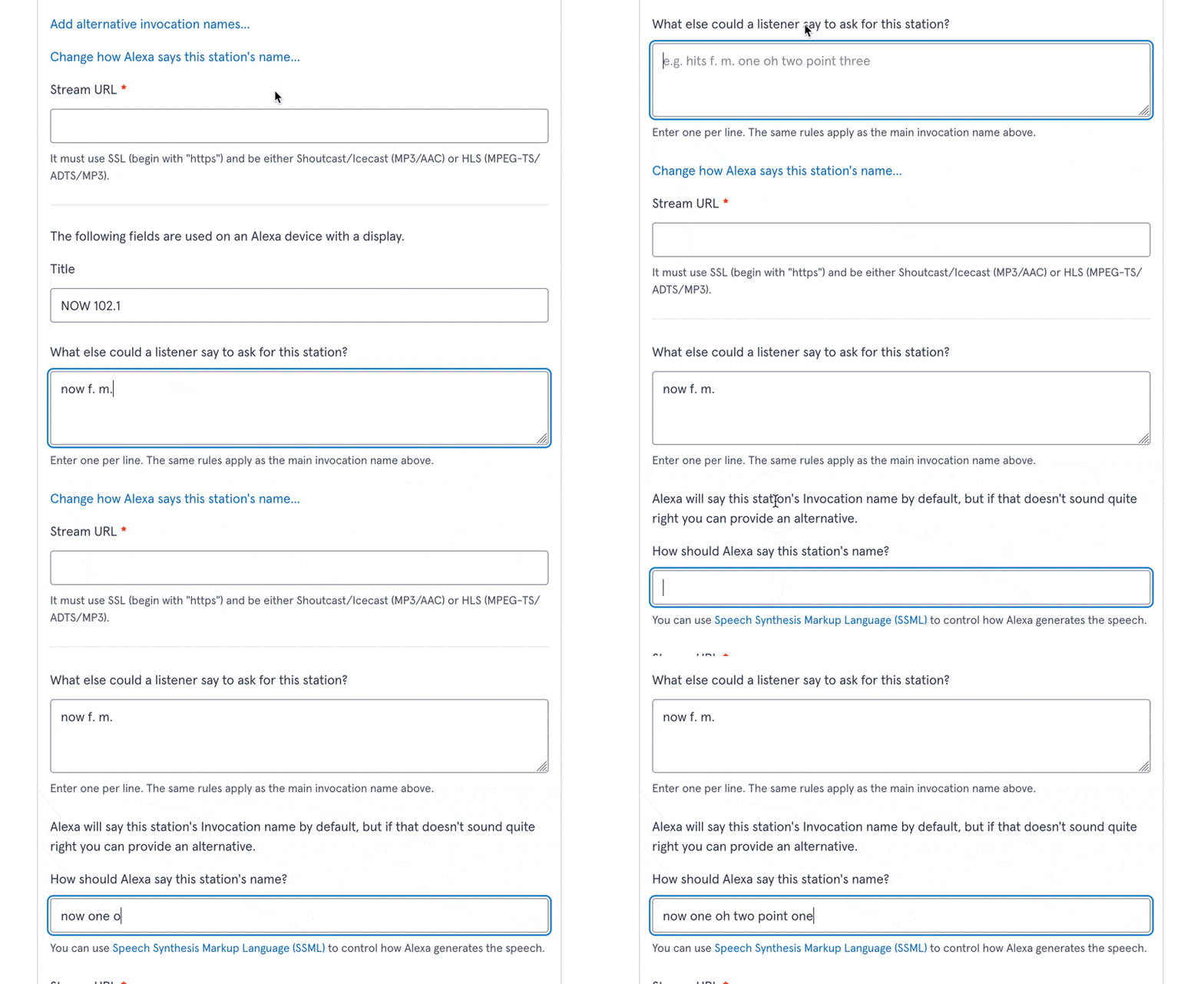
Last one - you can now tell Alexa how to say the name of a station.
By default, Alexa uses the invocation name of a station, but that might not sound great when read out.
For example in an invocation name, "UK" must be written "u. k." - note the space in the middle. But when Alexa says this, the space becomes an unnaturally long pause.
To resolve this, head to the "Manage stations" page, select a station, and then tap "Change how Alexa says this station name".
You can then enter something more suitable, with support for "SSML" (we provide a link to further guidance on this).
→ Learn more about Aiir's Alexa Skills for radio stations
That's all for now - thanks for reading!