We've got a big package of updates for our web-based music scheduler to share with you - all focussed on making it as smooth and easy to use as possible. There's a couple of bigger changes, as well as a long list of little tweaks that may save you some time...
Scheduling completed - what next?
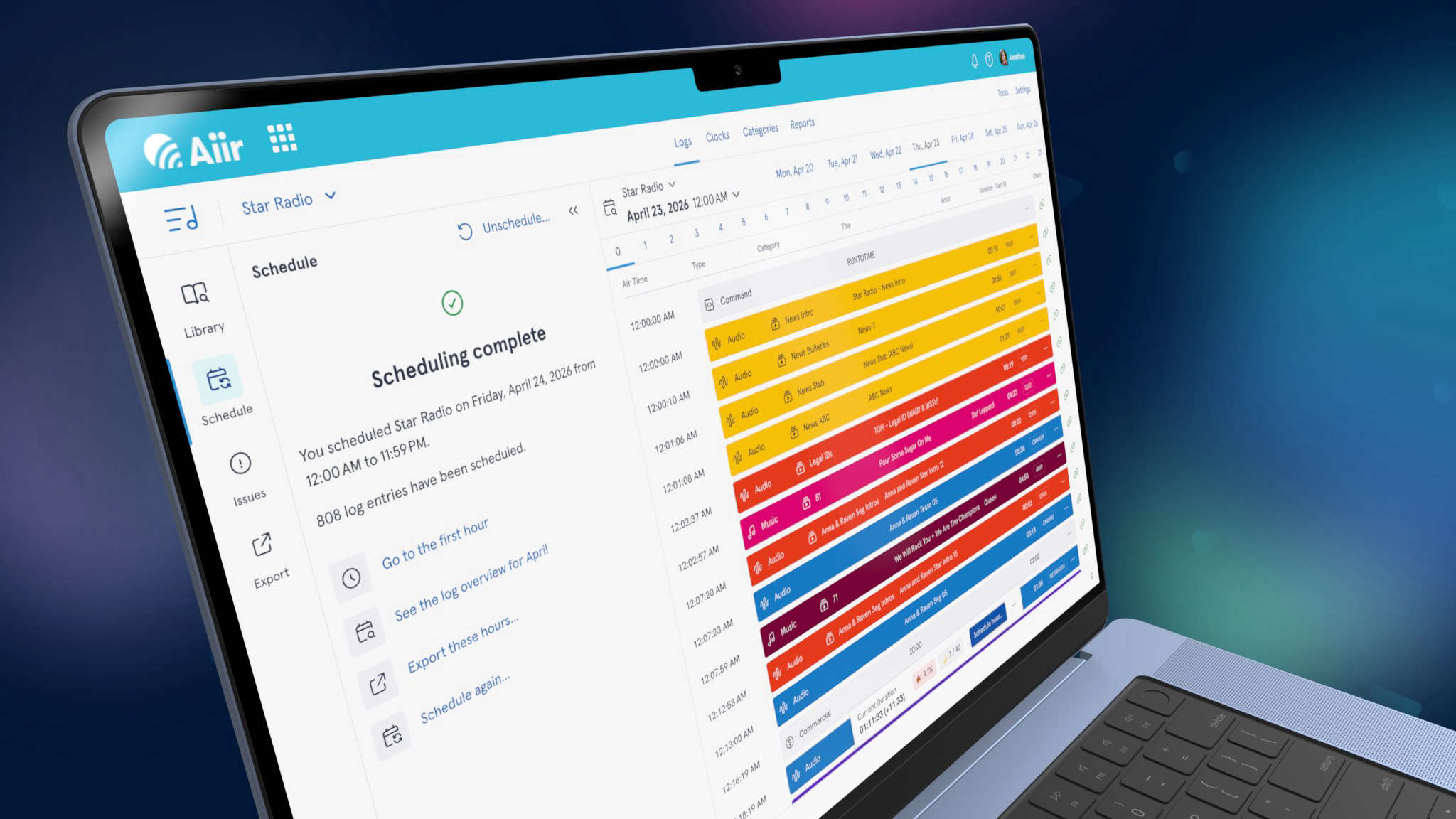
There's a new look to the screen that shows when your scheduling has completed. There's more information about exactly how many items were scheduled - if any of those had issues, but also how many items in those hours weren't attempted as their categories weren't included in your chosen pass order.
It's all designed so you have the most informed choice about what you do next with your logs - and we'll show a range of useful links to your next action, whether that's fixing up issues, scheduling again or exporting your lovely completed logs!
Fixing issues
And if there are any issues to fix, it's now easier to understand why they've come up. There's now a simple text summary of exactly why items couldn’t be scheduled. If you’re less familiar with scheduling, understanding what happens with rules and dig depths can be a bit confusing at first so we hope this makes it really clear.
But when you’re finding suitable items to replace with - you don’t want all of that detail to get in the way! So now it’s nice and compact by default, making it easy to see what items are still in your category.
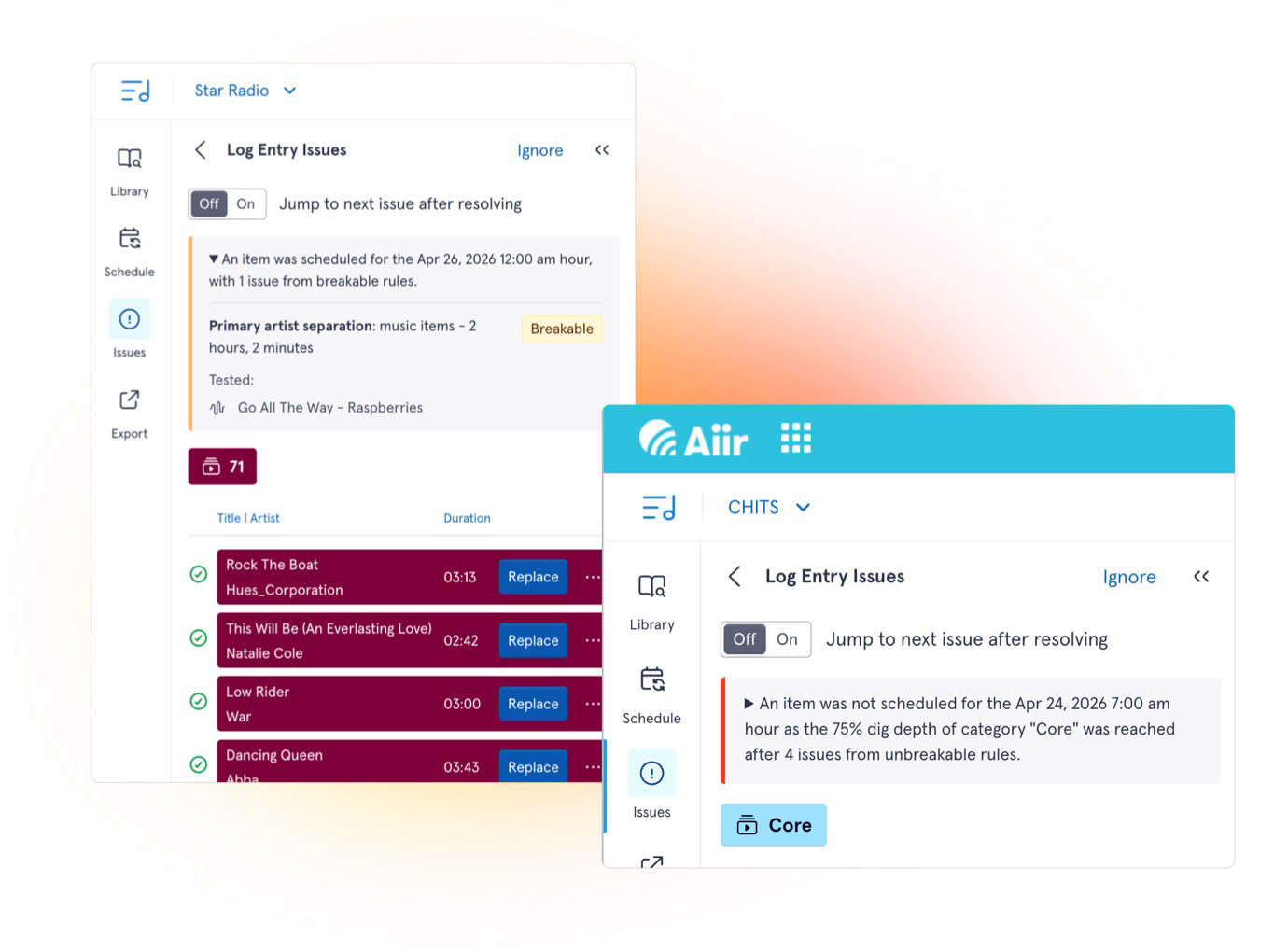
And if you want to know more - just tap to expand it, and you’ll see exactly which audio items failed which rules. That may help you figure out if you need to adjust your thresholds, maybe it’s time for a category shuffle, or it's just a one-off that needs a bit of manual selection.
Plus - now when you see the other items in the category on this screen, we'll prioritize showing which items would not break any rules. If you'd still like to see everything, you can just tap to get the unfiltered view. It's now even quicker to find suitable replacements for issues in your log.
Data retention
You can now choose how long previous logs will be kept. By default, this is 180 days - but you can increase or decrease this as suits you. This option can be found in the settings of each library, and we'll handle the clean-up for you automatically.
Find out more about data retention
Improvements
We've gone through your wish-lists to tidy up as many little quirks as we can - and add some nifty little tricks to speed up using Scheduler:
- Scheduling is now faster than ever before
- Flip between categories in the library drawer quicker by tapping the title at the top
- Category items with time restrictions will now be indicated with an icon
- You can now duplicate an entire category
- Related artists are now shown in the history grid for audio items
- Search for matches only on the title or name of an item, ignoring other fields such as artist and cart ID
- Filter search results to only show uncategorised items
- Custom field rules can now use the date picker for relevant fields
- Metrics are now available on mobile in a Log or Category by pressing a dedicated button on the floating bottom bar
- Drag a clock or daypart on to the corner square of the week-grid to set one for the entire week
- Imports now support start and end date/time restrictions in CSV and TSV files
- There's improved support for MusicMaster imports
- See real-time progress updates for imports as they happen
- We'll stop you from accidentally exporting a log for a station while it's being scheduled
- The drawer on mobile is now closed by default to give you more room to see
Want to know more about Scheduler? Watch our demo from the NAB Show floor as Dave and Chase show what it can do: