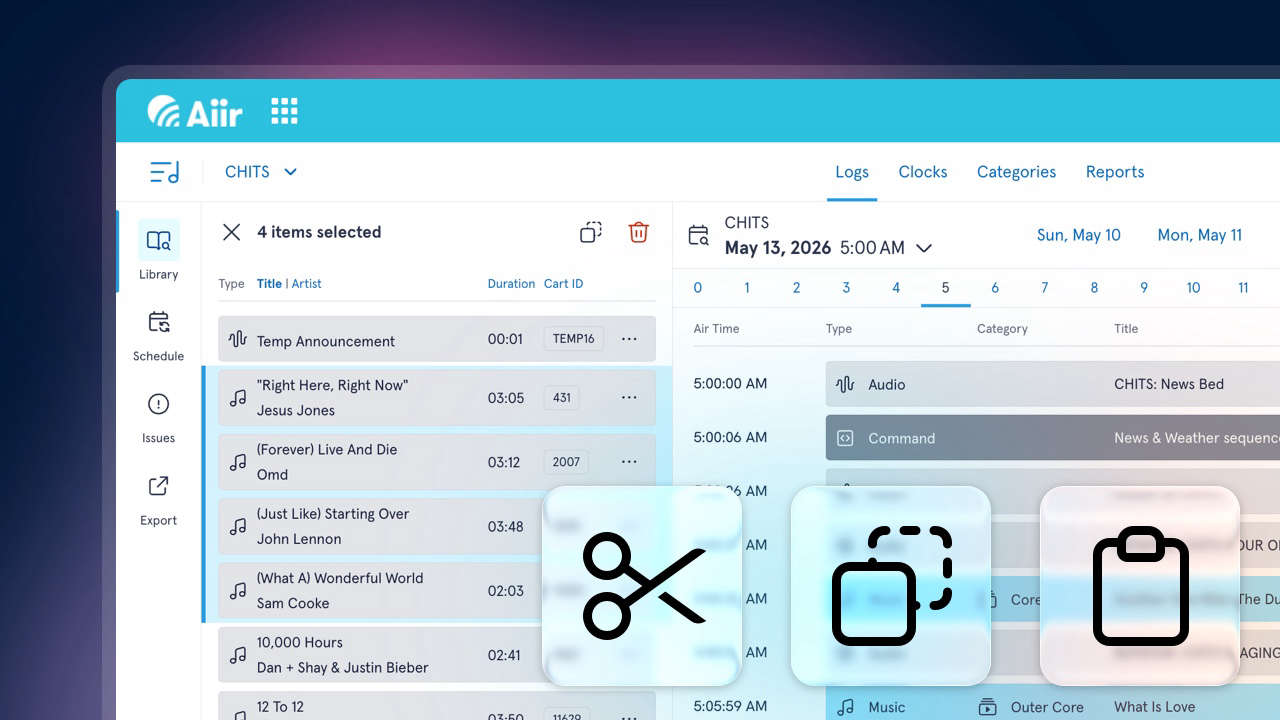
We've added a new set of features to our web-based music scheduler aimed at making repetitive tasks even quicker and easier - and it's all starts with selecting multiple items at once. While working on clocks, logs and categories, you can now:
- Select multiple items at once
- Drag multiple items at once
- Cut, copy and paste items
- Undo/redo your last actions
Let's get into it.
Multi-select
This works in the library drawer and as well as the main view.
Just hold down shift to select a range or ctrl (or cmd on a Mac) to add individual items to a selection. It works on mobile too - just tap an item to add it to your selection.
Once you've got multiple items selected, you'll see some new controls appear.
In the library drawer, you'll find them at the top - there's Copy and Delete. And in the main view, the stats on the "action bar" will be replaced with options to Cut, Copy and Delete.
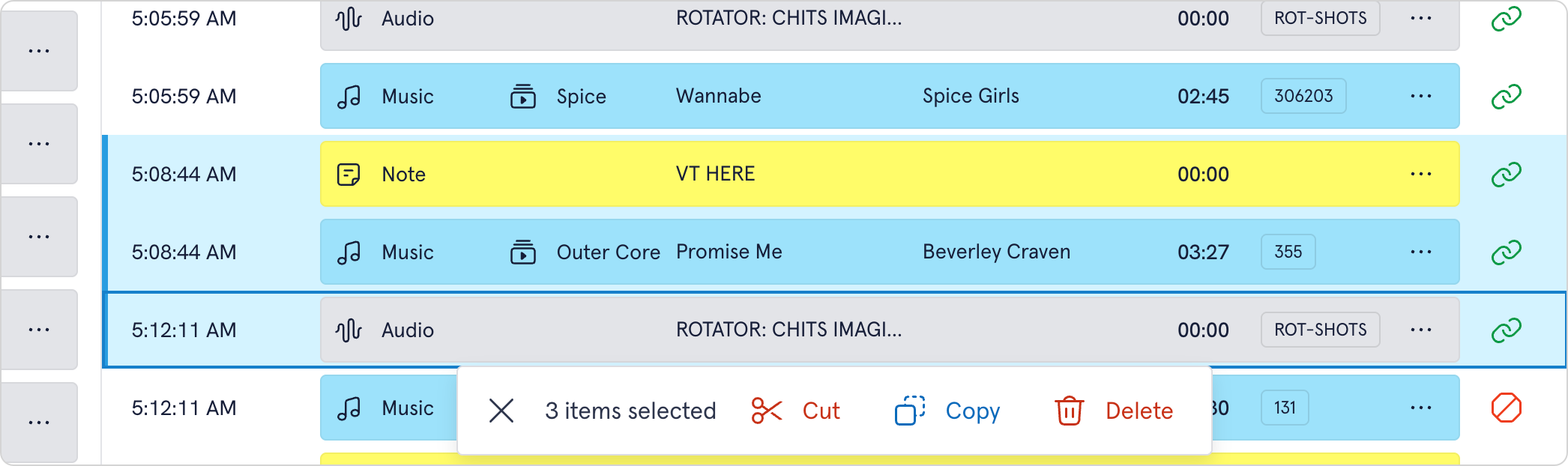
Multi-selected items can be dragged between views - so you can grab multiple items at once, and then drag them across to a category or log for bulk changes. It's also a really quick way of reordering sections of logs.
Cut, copy and paste
You can copy from the library drawer, and paste into a log, clock or category - or cut, copy and paste items between different log, clock and category views.
It's a really useful way of making the same changes across a number of clocks.
Undo and Redo
All these features mean you can quite quickly make some big changes to your logs - so we wanted to make it easier to revert any changes you just made.
On the action bar, you'll now see buttons for undo and redo. These cover the most common edits made, such as reordering, pasting, deleting, changing chains, creating commercial breaks and notes.
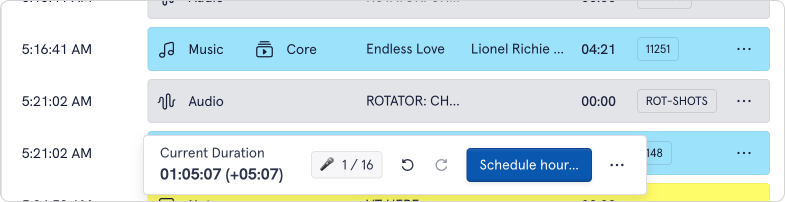
There are a few limitations - the history is only available while you're still on the page, and only covers the last 50 events. And there's a few things that can't be undone - this includes shuffling categories, and changes to the metadata of the actual audio items themselves.
But hopefully this should give you a bit more peace of mind while using Scheduler - and get you out of some sticky situations!
Keyboard Shortcuts
And for those advanced users, we've added more keyboard controls so it's easy to make changes quickly:
- Ctrl/Cmd + C - copy selected items
- Ctrl/Cmd + C - cut selected items
- Ctrl/Cmd + V - paste cut/copied items before the item with focus
- Del/Backspace - delete/remove selected items
- Esc - clear selection
- Ctrl/Cmd + Z - undo
- Ctrl/Cmd + Shift + Z - redo
Our music scheduler is available now for just $60/£40 per station, per month - and there's a no commitment, 14-day free trial available. Import your existing data and see how easy it is to use! You can find our more on the Scheduler section of our website, or watching our extended video tour.