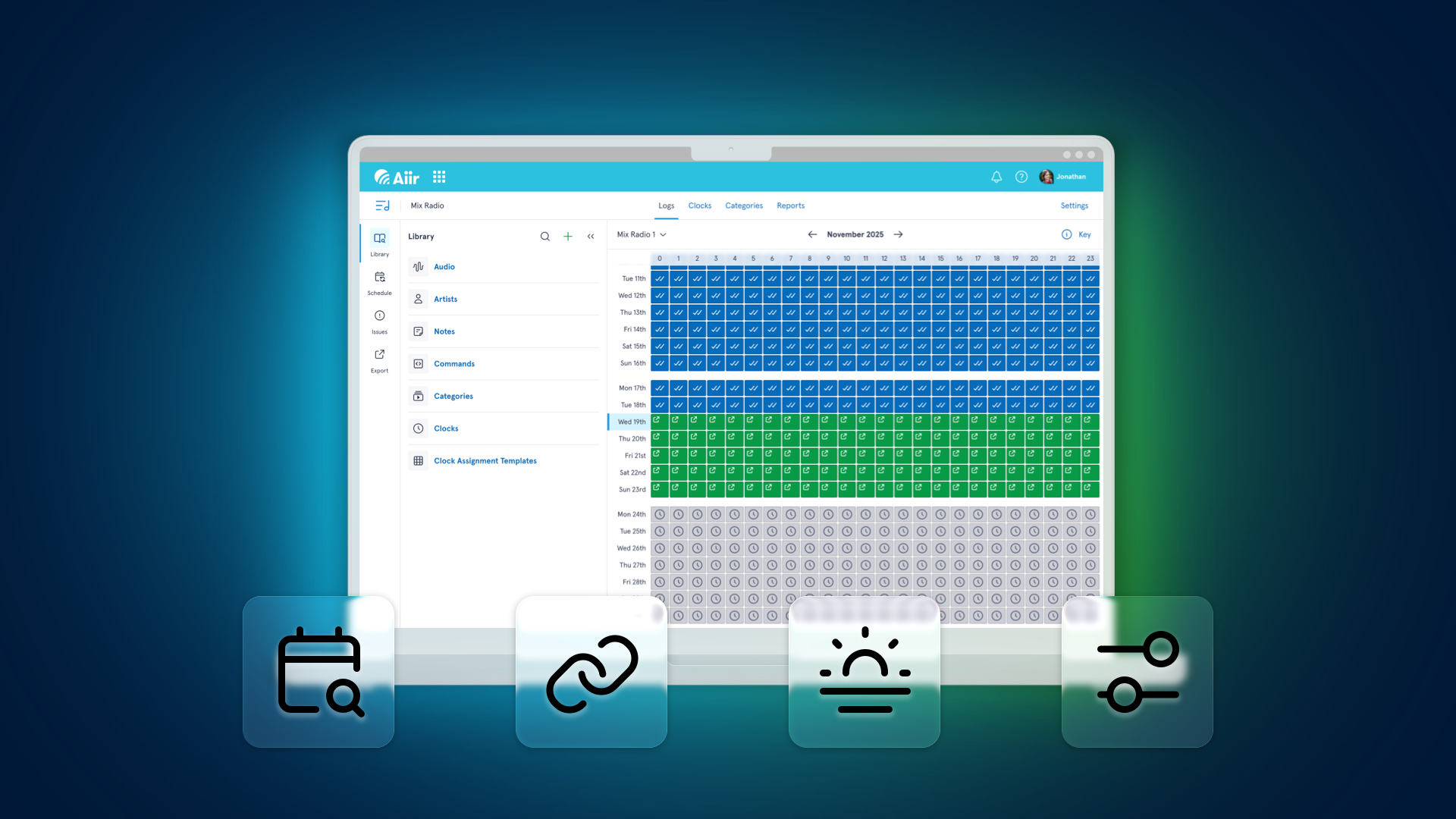
Yes - following the launch of reconciliation, wider automation system support and new rules, we're not slowing down and we've got another batch of enhancements for Aiir's brand new Music Scheduler for radio to tell you about.
Log Overview
Sometimes you want to zoom out from a specific log hour and get a better overview of what your station is looking like across the month. So now when you're looking at a log, you can press the calendar icon to see...
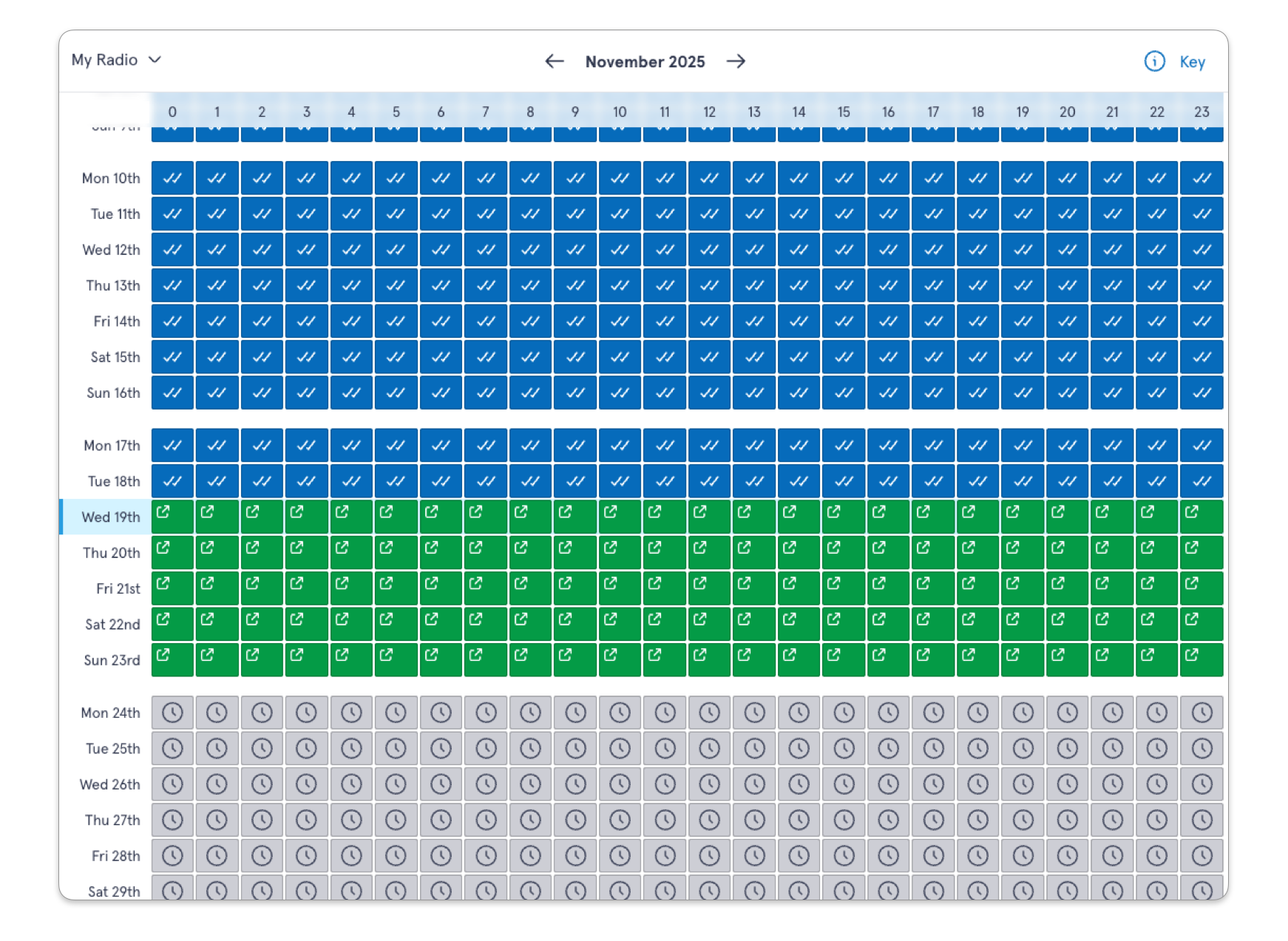
The new month-long overview!
You'll see for each hour of the month whether it's been reconciled, exported, if there's any unscheduled positions or if it's just using the templated clock. There's a handy key to make sure you know what's what:
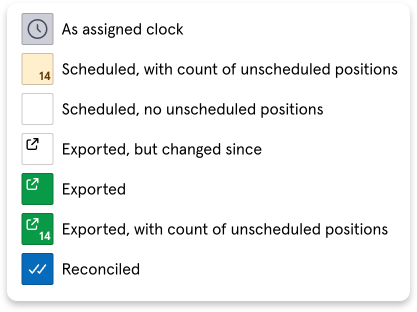
It's a great way to keep on top of things and make sure there's no little rogue hours or changes that catch you out.
Chaining
Some automation systems let you "chain" log items, specifying whether playback should automatically continue to the next item or stop when the current one ends.
If chaining is enabled, you'll be able to toggle it on log entries and clock positions.
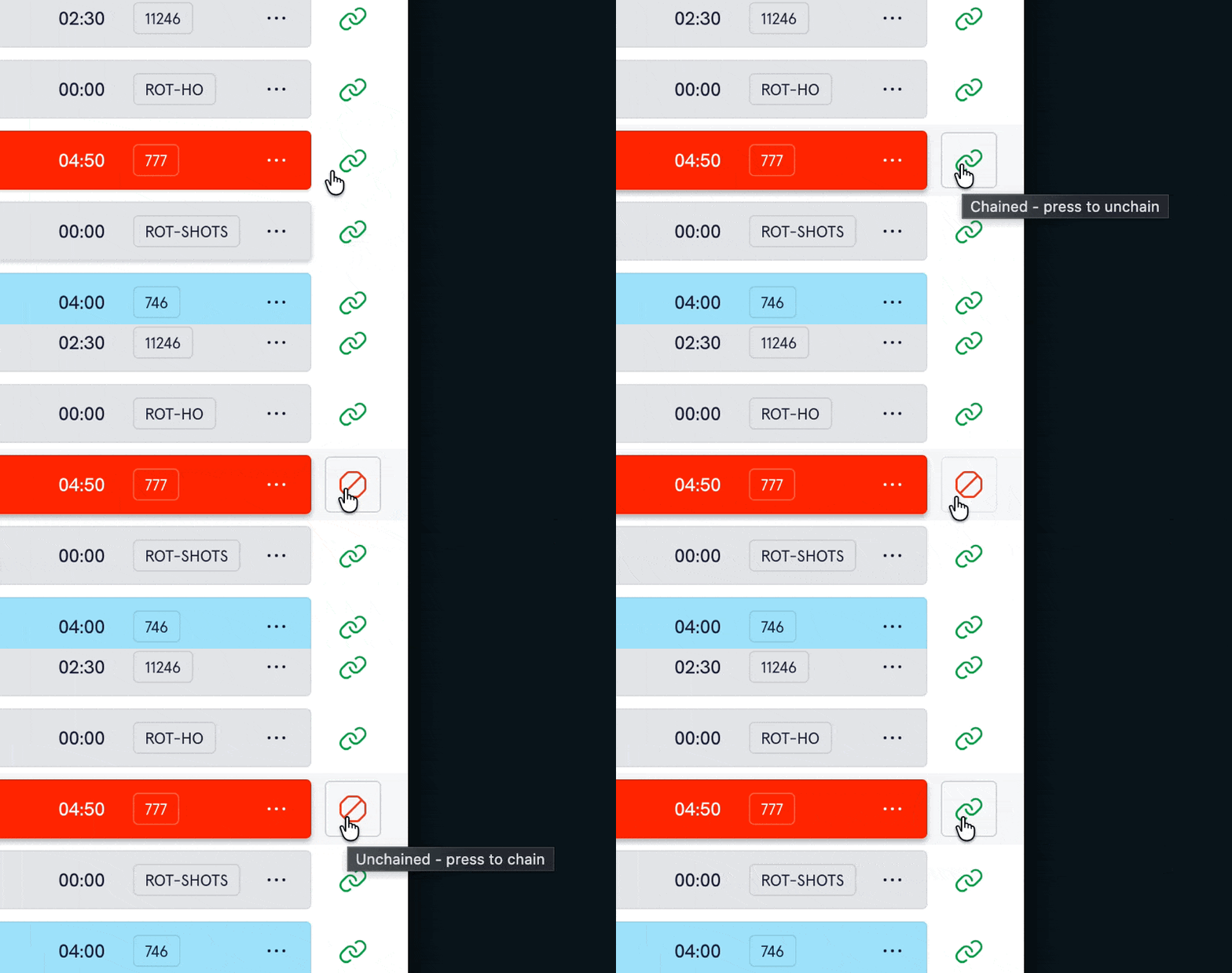
It's particularly useful if you want to use Aiir Scheduler to build clocks for satellite shows, or set things up with the correct 'stop' positions for your live programs.
This is automatically enabled for users exporting to PlayoutONE. Zetta and Myriad users can enable it by going to the settings page of your library.
Dayparts
In Aiir Scheduler, you can break up your broadcast week into 'daypart' sections - these can be used for rules to ensure your content is spread across the clock, or also on individual audio items to either be played exclusively in those dayparts or excluded from them.
We launched this in September, and now we've made it even easier to manage them.
If you go to your library's settings section, and select the dayparts page, it's now quicker to make changes to your week.
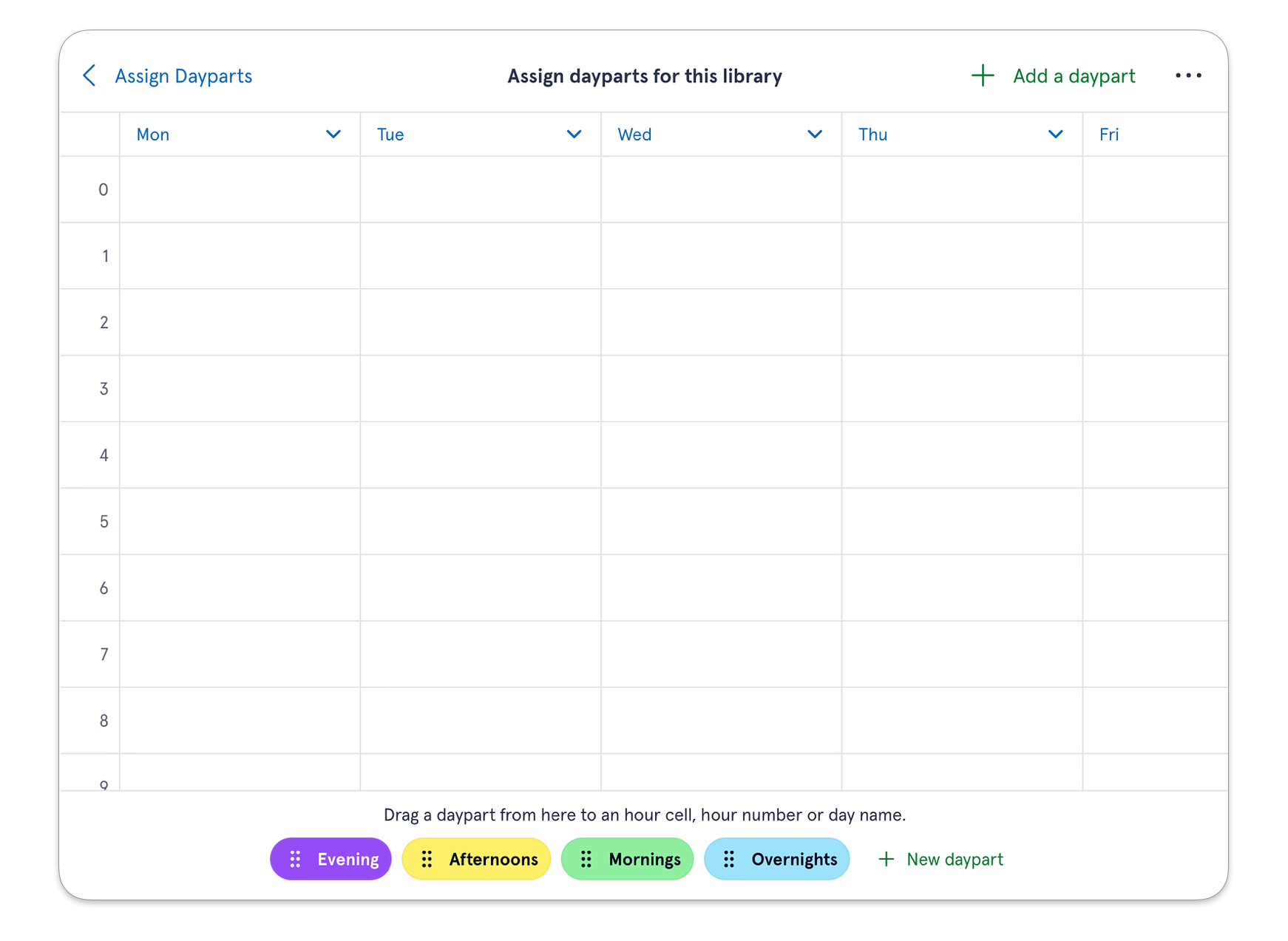
On desktop, you'll now see your dayparts along the bottom - so you can pick them up and drag them to the correct hour. You can also drag them onto the label for a specific hour or day to add it to all of them at once.
There's also bulk actions available by tapping the day headers, including copying that day to another or clearing it, similar to how you can for Clock Assignments.
Tag and Custom Field Rules
You can already customise your library structure with tags and custom fields for audio items, but they're now even more powerful with additional rules. Alongside the existing options for flow and maximum adjacent items, you can now create separation rules. These let you set a minimum amount of time before an item with the same tag or matching custom field value can play again.
If you haven't tried Aiir Scheduler yet, there's no better time - it's completely free to use through to the end of January 2026. It's really easy to import your existing library from an automation system or alternative scheduler to get going.
And there's even more great features on the way before the end of the trial, so keep checking and see how Aiir Scheduler can help you create radio.