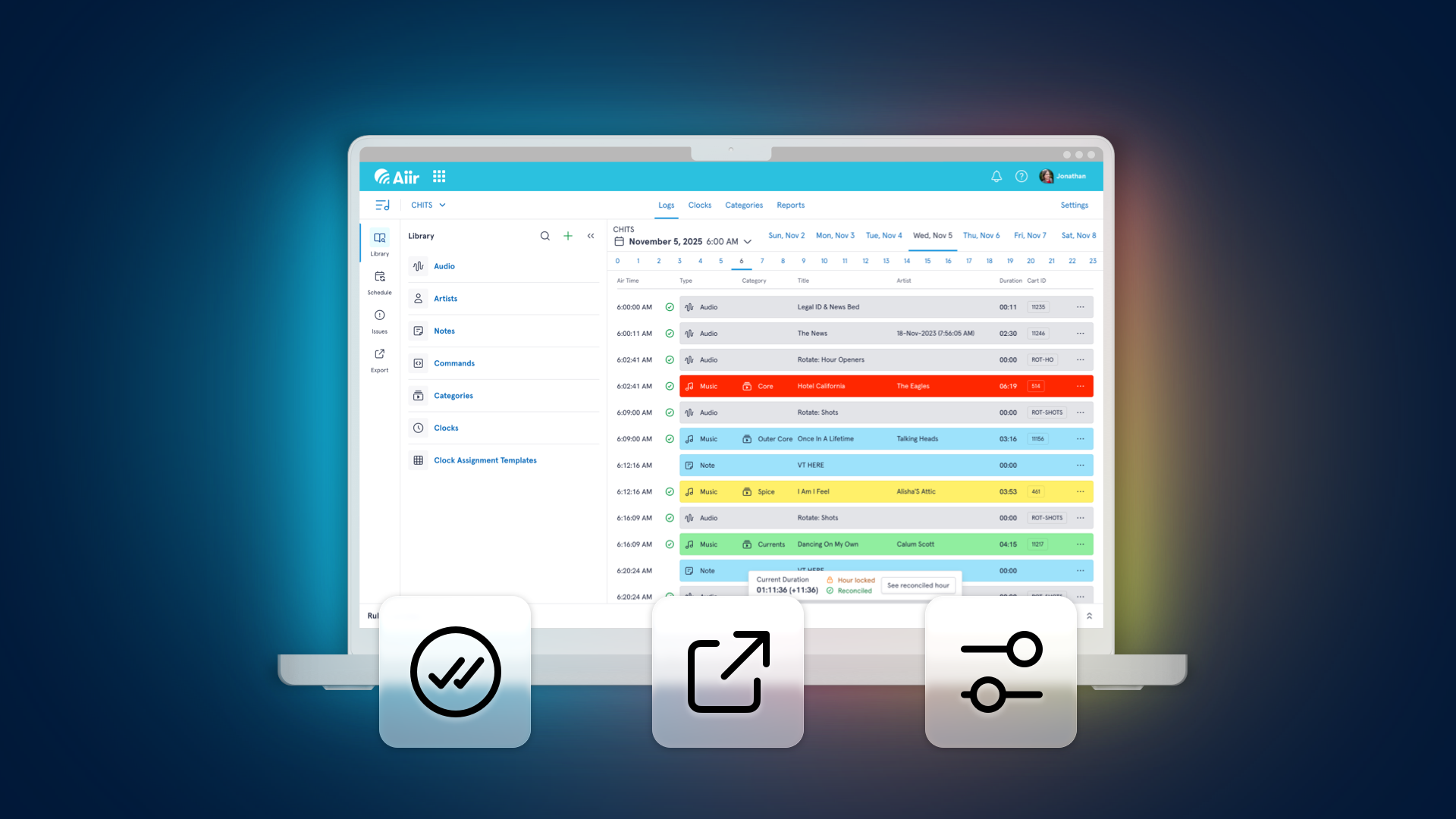
We're following on from the release of direct sync between PlayoutONE Pro and Aiir Scheduler with another batch of new features for our brand new cloud-based music scheduler!
Reconciliation
You can now upload a log from your automation system, providing a record of the items you played, a process known as reconciliation.
This means that you have an accurate history of what was played, which can be used in reports. Additionally, items that weren't played can be returned to the top of their categories to be played at another time.
If you set up Direct Sync between PlayoutONE Pro and Scheduler (requires PlayoutONE version 5.3), then there's nothing else you need to do - it'll automatically send the reconciliation logs as part of that process. If not, you can directly upload these via the Settings area of your library.
So if you look at a previous day, you'll see exactly what was played - or tap a button to see the hour as scheduled. This will help you to understand what's changed.
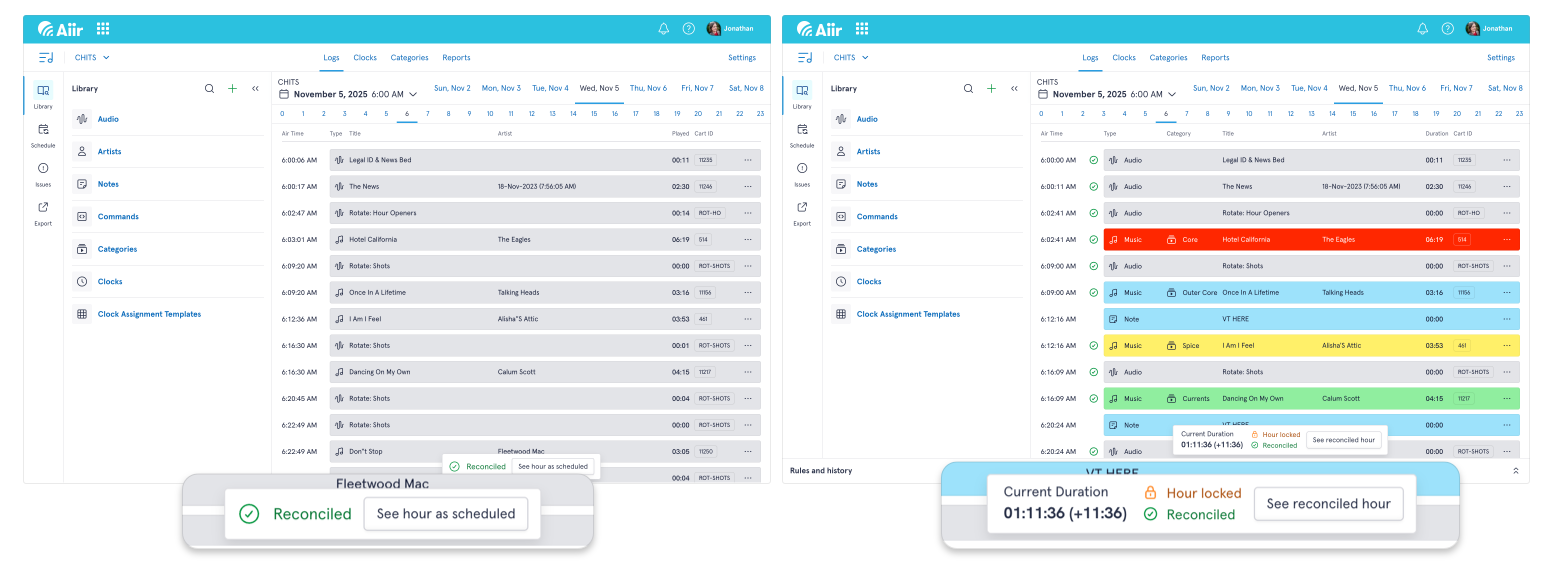
Your reconciled hours can be included in reports, so you can ensure your royalties are correct, and they'll be referenced when scheduling new hours (so your rules are applied based on what actually went on air), and used for the history grid on audio items.
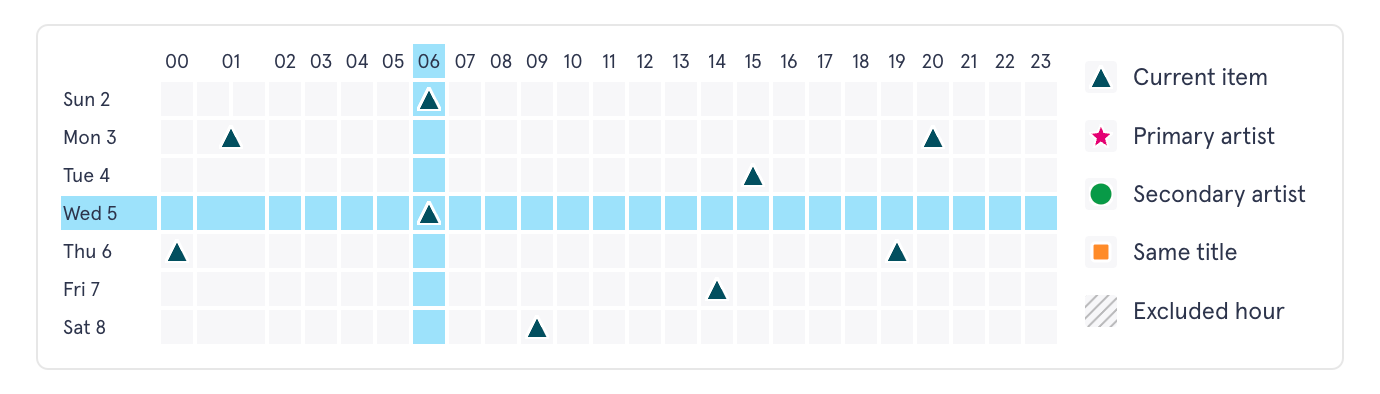
And speaking of that history grid - you can now tap on any square to take you to that hour in the log. It's a really speedy way to jump around.
Support for more automation systems
Aiir Scheduler already includes support for PlayoutONE, WideOrbit, Myriad, PlayIt Live and Station Playlist - but we've had requests for many more, and we're more than happy to oblige.
So you can now export logs in the correct format for:
- ENCO DAD
- mAirList
- NexGen
- RadioBoss
- RadioDJ
- Rivendell
- Simian
- Zetta
or a generic .m3u format for any other system.
You can set these up by creating a station output.
Support for these systems is now in beta, so if you try them we'd love to hear how you get on. Just drop a message to our support team and let us know if it works or if there's any little tweaks they may need.
Yesterday, all my artists seemed so far away...
And by popular request, we've expanded the 'Yesterday, same hour' rule. As well as targeting the exact same audio item, it can now look for matches of any audio by the same artist.
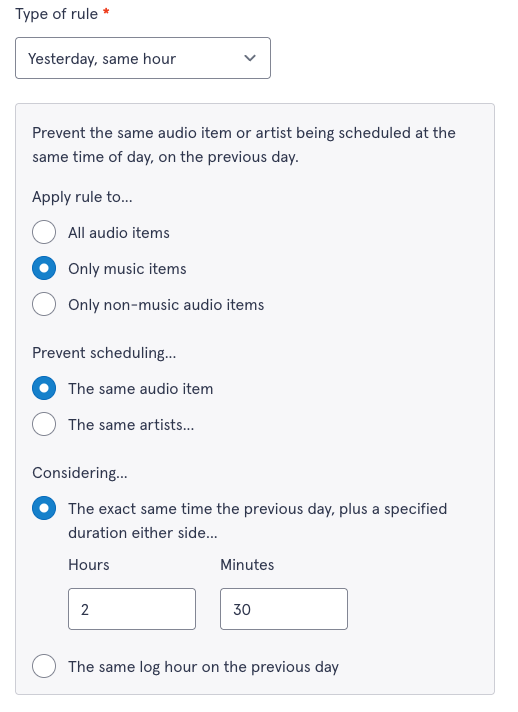
You can also customise how the rule runs. There's the traditional option for looking at the exact same log hour on the previous day (so anything in the 11am Tuesday hour won't be played in the 11am Wednesday hour).
But you can now set it with a specified window, either side of the exact airtime. So this means that if you set it right, it can stop the same item from being played at 10:45am Tuesday and 11:15am Wednesday. They're different log hours, but fall within the same period for listeners. Customize it to match what works best with your station sound, it's a really powerful tool to reduce the chance of your station sounding repetitive.
That's all for now - don't forget Aiir Scheduler is free to try through to the end of January 2026. No commitment required, and it's really easy to import your existing library from an automation system or alternative scheduler to get going.
There's more features on the way throughout the trial, so subscribe to our newsletter to get reminders. And if you've got any thoughts, feedback or questions, just let us know: support@aiir.com. We've got some exciting things on the way and the comments we've had from everyone so far have really helped us prioritize what's coming next.