
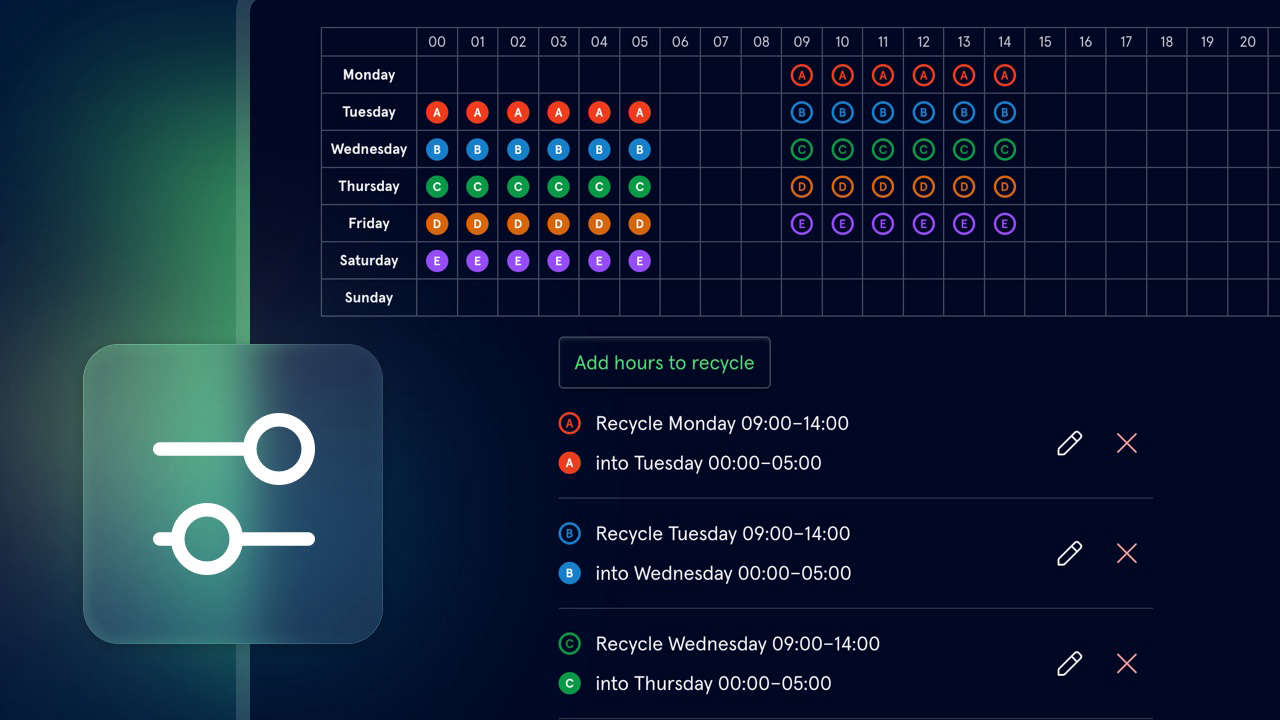
Normally when scheduling music for your radio station, you're trying to avoid repetition - but the newest rule in Scheduler does the exact opposite. It is on purpose, though!
It's called recycling, and it allows you to use audio that previously aired in one section of the day at another time, when it was unlikely to have been heard by the same audience.
It's ideal for 'gold' or 'recurrent' categories, where songs come round less often. If you've got some great tracks in there, you don't want their play at 2am to mean it won't be heard in the daytime for weeks! So for example, you can set it up to ensure tracks played in your chosen categories, between 10am and 2pm, are then made available for recycling into the midnight to 5am hours.
You've got full control over what these paired hours are. Head to your Library Settings, go to Rules, and create a new Recycling rule.
On the grid, you can then create multiple pairs of linked hours, each spanning up to 12 consecutive hours. These can span between days, for example, to repeat 10pm-2am from 10am-2pm the next day.
You can also choose what happens if the system can't schedule an item from a recycled hour - it can leave it unscheduled for manual resolution, or select from the entire category.
The Recycling rule is available now for all users of Scheduler. Whether you're looking to reduce rotation, or strategically embrace it, we're confident that it's a powerful and easy-to-use way to put together perfect logs.
You can try it for free for 14-days, and it's just $60/£40 per station, per month after that. You can even import your existing library to get started in no time. You can find our more on the Scheduler section of our website, or watching our extended video tour.