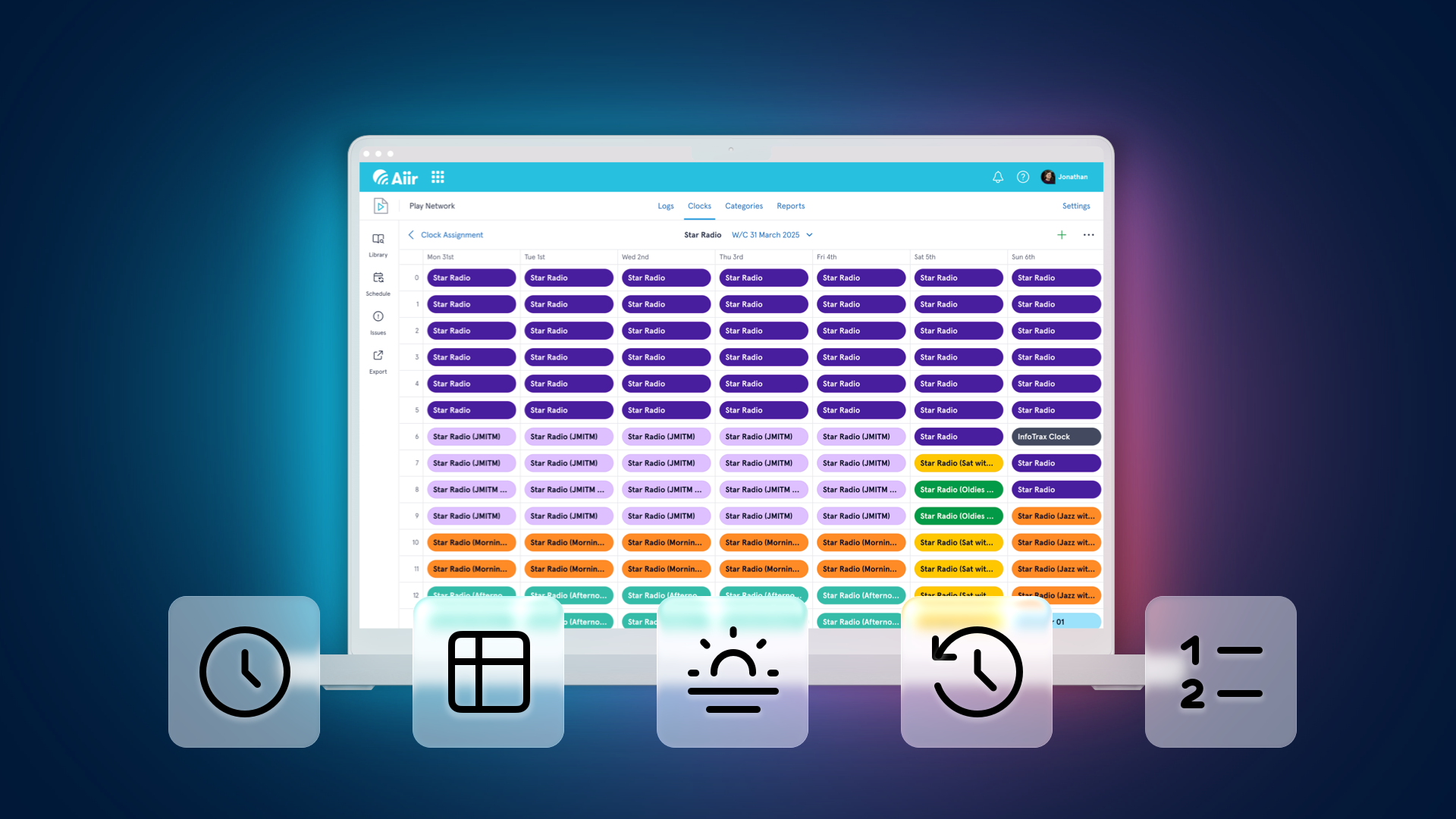
In May, we released the public trial of our brand new Music Scheduler for radio stations. Thanks to everyone who's tried it so far and shared their feedback with us. We're thrilled to know that stations around the world are playing songs scheduled with this every day.
But that was just the start. Since then, we've been busy adding loads of new features, including those shaped by what you've been telling us. So as we launch our next batch of features, it's a good time to see what's new and what you may have missed since day 1.
And if you haven't tried it yet, you can try it for free through September 2025.
Reports
It's been teasing you with a little preview but the Reports section is now out of testing. Rather than limiting you to a specific set of presets, we've created an incredibly powerful tool to help you create the exact report you need.
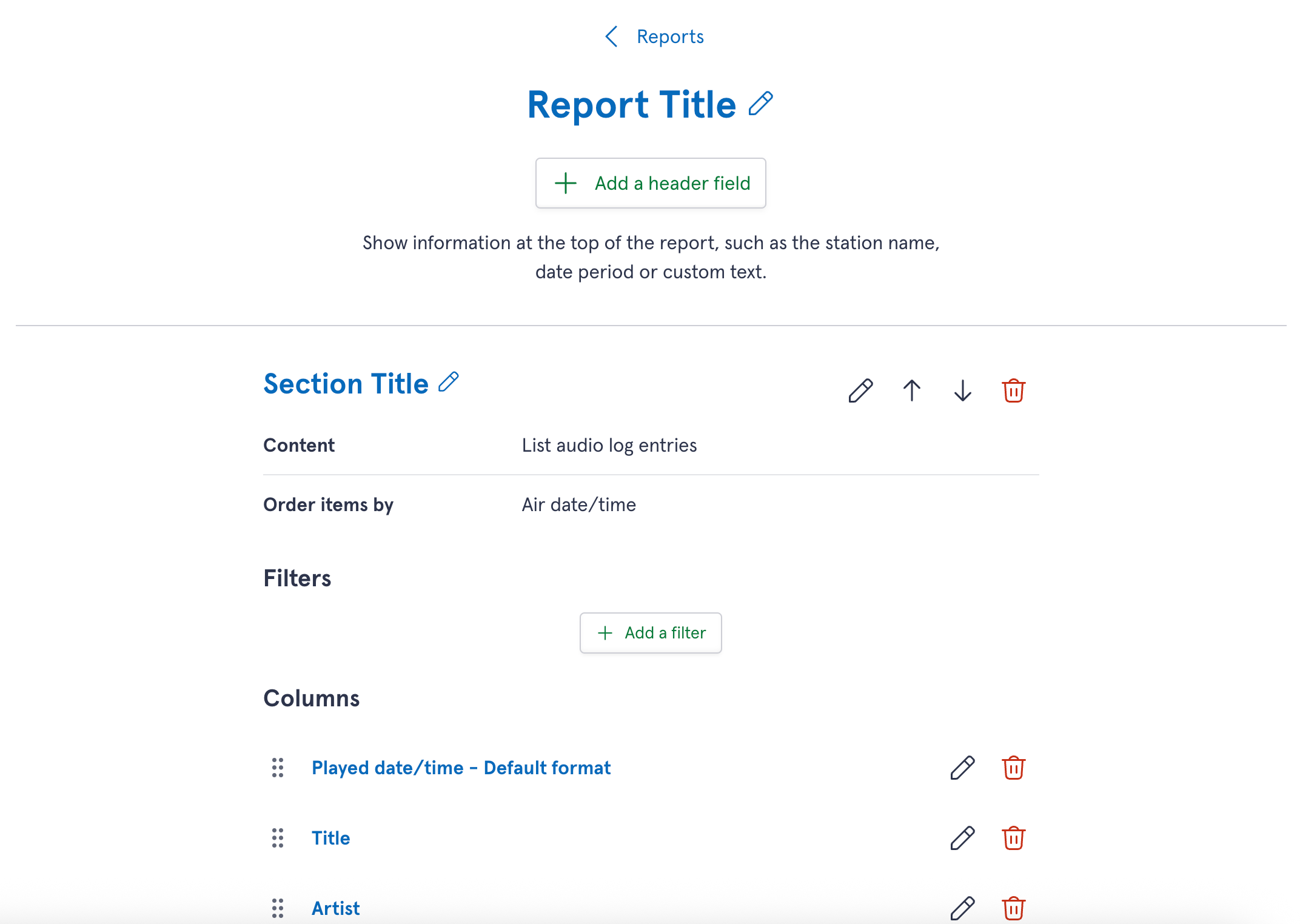
Whether that's for putting together an exact history of your logs for royalty reports, or performing analysis on how much of your music meets certain criteria over time, you can build it with the data you want. Filter your logs by type of audio, time played, matching values for specific and more - and choose how they're laid out in the table.
You can see the results in your browser, print it, or export it as a text file or CSV.
And for our Canadian customers, our library setup flow will also automatically create a CRTC Canadian Content report for you based on your relevant options.
More about reports →
Dayparts
In your library settings, you'll be able to break up your 24 hour, 7 day week into different segments known as 'dayparts'.
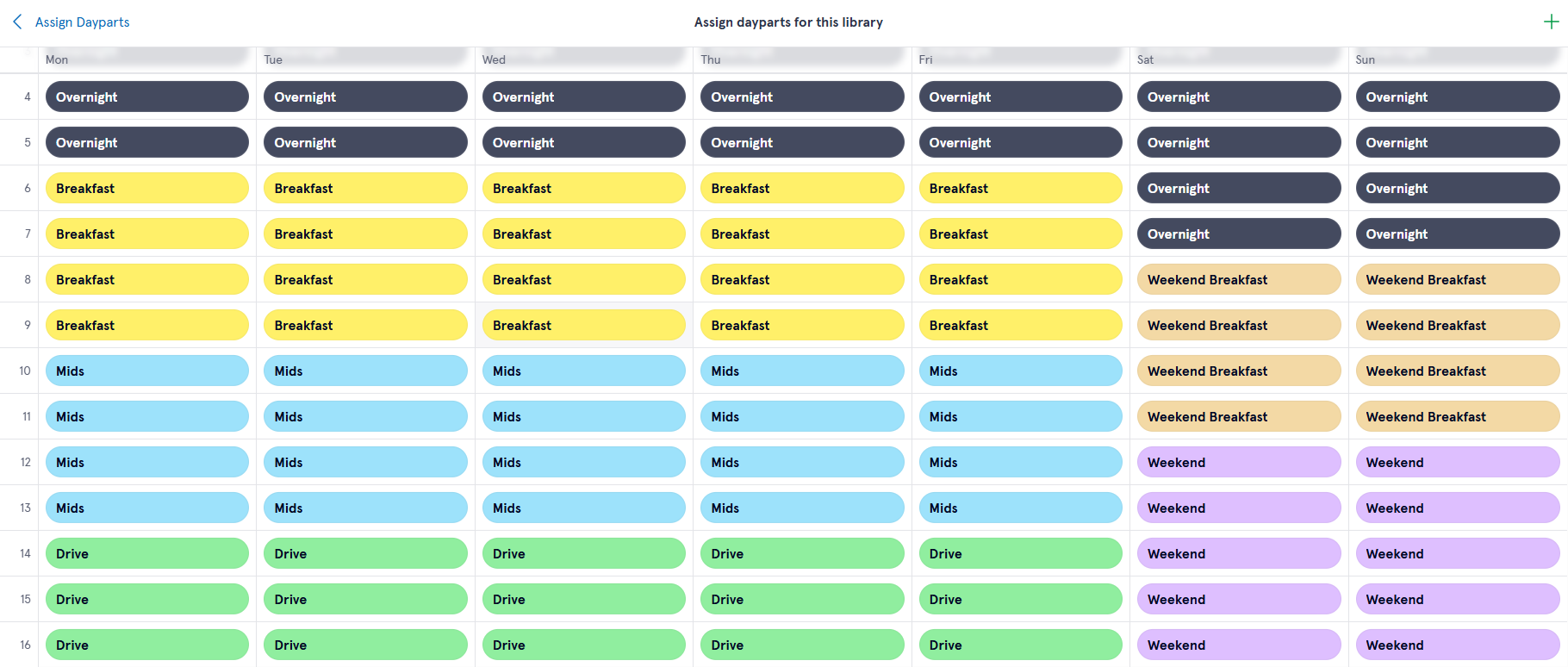
You can then use the new Daypart Separation rule to ensure tracks are distributed across the clock.
This could mean ensuring songs are played in two unique dayparts before they can be played again in the same one. No more songs being constantly repeated in the mornings, but no other time of day!
More about dayparts →
Audio Item Time Restrictions
You can also use dayparts to easily restrict when an individual audio item can be scheduled.
When you edit an audio item, you'll now find these options under 'Time Restrictions'.
Choose exactly which hours are allowed on the 24/7 grid as before - but now we've added options to easy select/deselect entire days or hours across the week, or you can draw over an area with your mouse. It's incredibly speedy.
But you can also link restrictions to dayparts. This means audio can be scheduled any time except during a specific daypart, or only schedule it exclusively in a specific daypart - it's up to you.
It adds a lot more flexibility to how you can vary items across the day.
Even More New Rules
As well as Daypart Separation, we've added even more ways to use rules to craft the perfect station sound.
This includes a couple of popular requests:
- Vocal Gender Adjacent
- Related Artist Separation
And for more control: rules which could be applied to either just music or non-music audio, can now be applied to all audio. No need to double up on rules!
More about rules →
Sorting and re-ordering
Need to find your shortest song, or scroll through your most recently added items?
The search filters in Scheduler can be combined for some really powerful options - but sometimes you need to see those items in a different order. We've now added the option to change the display order when browsing many of the items in your library.
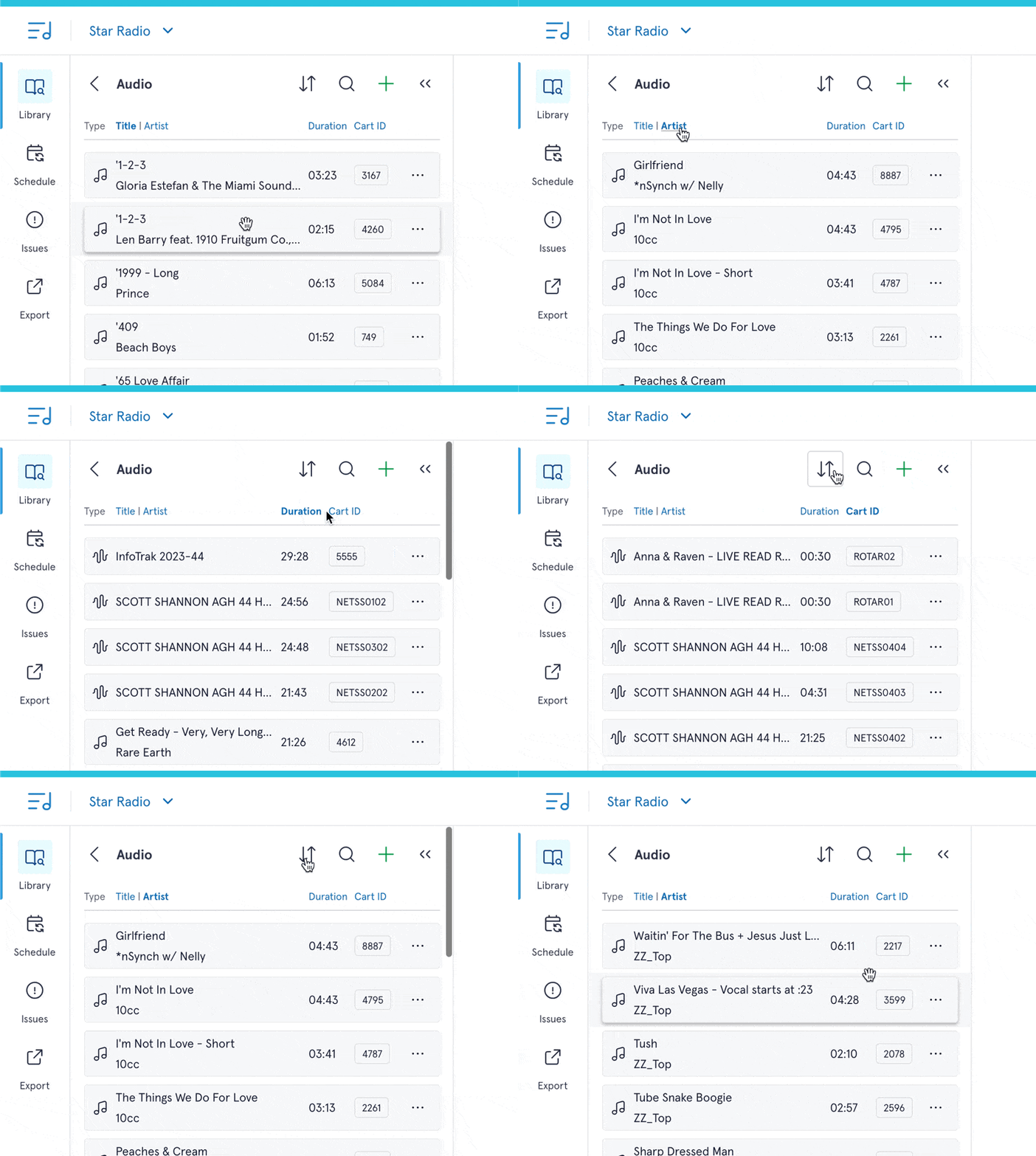
You can press the relevant header to sort by it that, and tap it again to swap to reverse order. There's also a dedicated 'sort' button (the two arrows) which allows you to access a few additional sort options that aren't seen as headers.
Save your pass orders
By default, when scheduling logs we start with the category with the lowest number of items. This is to give everything the best chance at finding an item without rules.
But sometimes you want a bit more control - maybe scheduling your A List first, or all of your music before any of your production.
You could already re-order your pass order when scheduling, but you had to set up the order every time. That's too time consuming. We've now added the option to your library settings to create as many pass orders as you like. For each one, choose which categories you'd like included, and sort them as works for you.
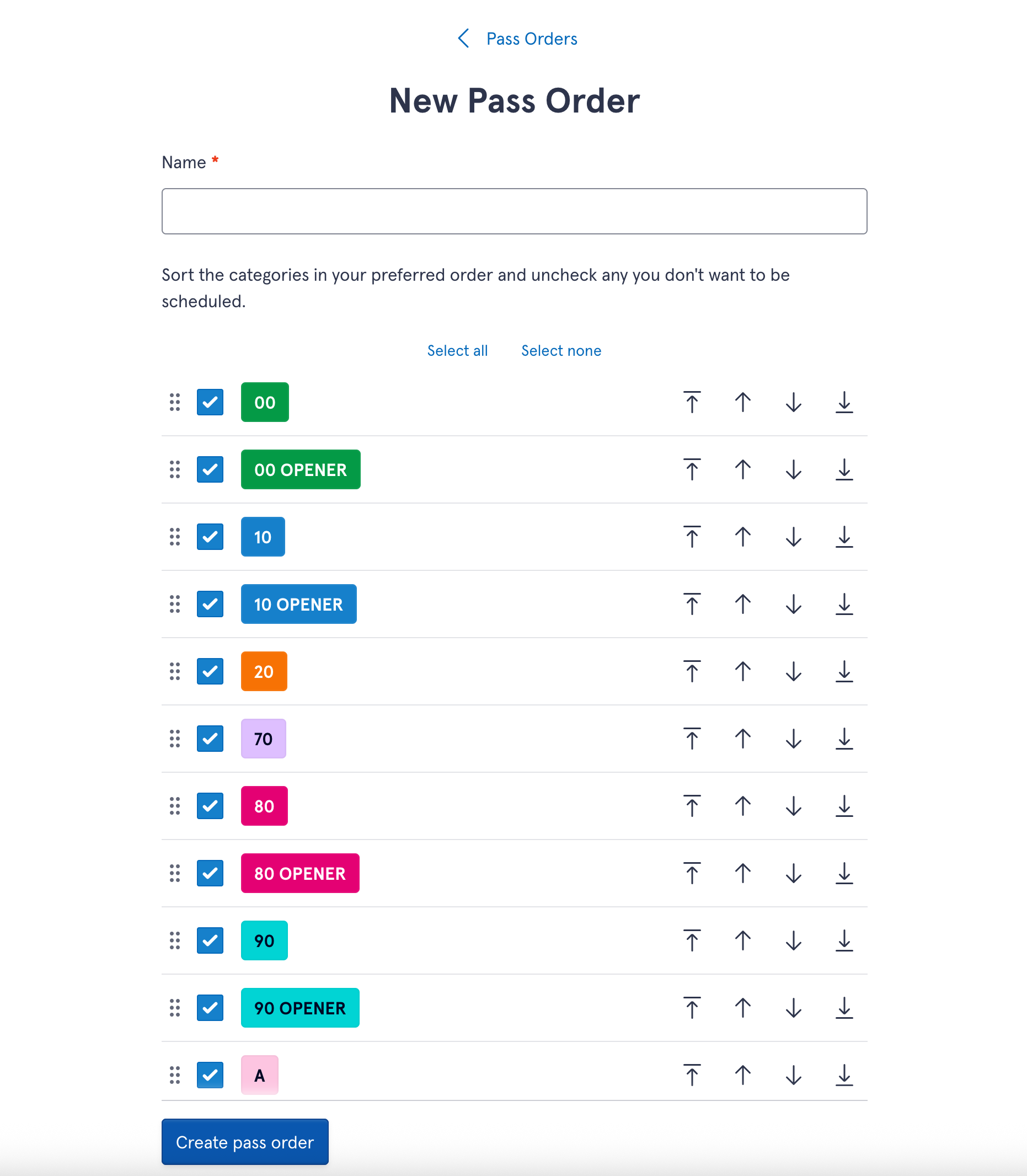
Then when you schedule (or unschedule!), you can choose your preset pass order of choice.
More about pass orders →
Improved Clock Assignments
And you'll also find time-saving improvements in the Clock Assignments section.
You can now drag and drop a clock from the drawer right onto the grid. There's 'bulk action' buttons for each day - tap the header and you'll see useful options for clearing, or copying to a different day.
And you can copy from Clock Assignment Templates to your week-by-week assignments. Like clocks, you can drag them from the drawer or click the header to 'copy from template'.
These are really powerful for special events, holidays or variations. Templates can be made to cover one to seven days, so you could have a specific template for a federal holiday, fundraising week or holiday season. Then each time it comes around, drag it on to the right day to override your regular schedule. It's a really easy way to re-use your assignments across the year.
Activity Logging
Long-term users of Aiir will be familiar with the activity log on the homepage, which is great for knowing what you're colleagues have been working on or providing an audit trail.
Changes made in Scheduler will now show as part of this log.
But we don't want to overload you with every single time somebody changes a log item. So on the homepage, we'll show you a summary of the most important detail. Need more? Tap the link to the full log you'll get the detailed view.
Also...
It wouldn't be a major update without everybody's favorite generic text, "bug fixes and performance improvements".
We've sorted a lot of details from improved color contrast on your clocks and categories, and a number of fixes for imports. This includes larger Music1 and MusicMaster libraries - so if you were unable to get your existing items into the system, give it another go.
And there's still more to come...
Phew! That's a pretty hefty list, but we're not slowing down. There's plenty more where that came from on the way!
It's the most requested feature so far, so I'm very happy to say that we are currently testing the real-time sync of your library items with PlayoutONE Pro.
This will be coming soon in a future update to PlayoutONE Pro and Auto Importer, and will be available by the end of the trial period, ready for the full launch of Scheduler. Keep an eye out for updates here on our blog or subscribe to our newsletter to find out when it's available.
We really appreciate everyone who's tried the Scheduler so far. We know that creating your logs is such a core part of any station's workflow that any changes or interruptions to that are done with a lot of caution. So thank you for trusting us with this and we hope you'll like the new additions.
If you need any help getting set up with these new features, we've published a range of new documents on our Support site. If you get stuck, find a bug, or there's something you'd love to see added to the product to be mentioned on our next update, please get in touch with us. We'd love to hear from you.