We're giving the main navigation of Aiir a major refresh so it's quicker to find what you need - and it's available for you to try right now.
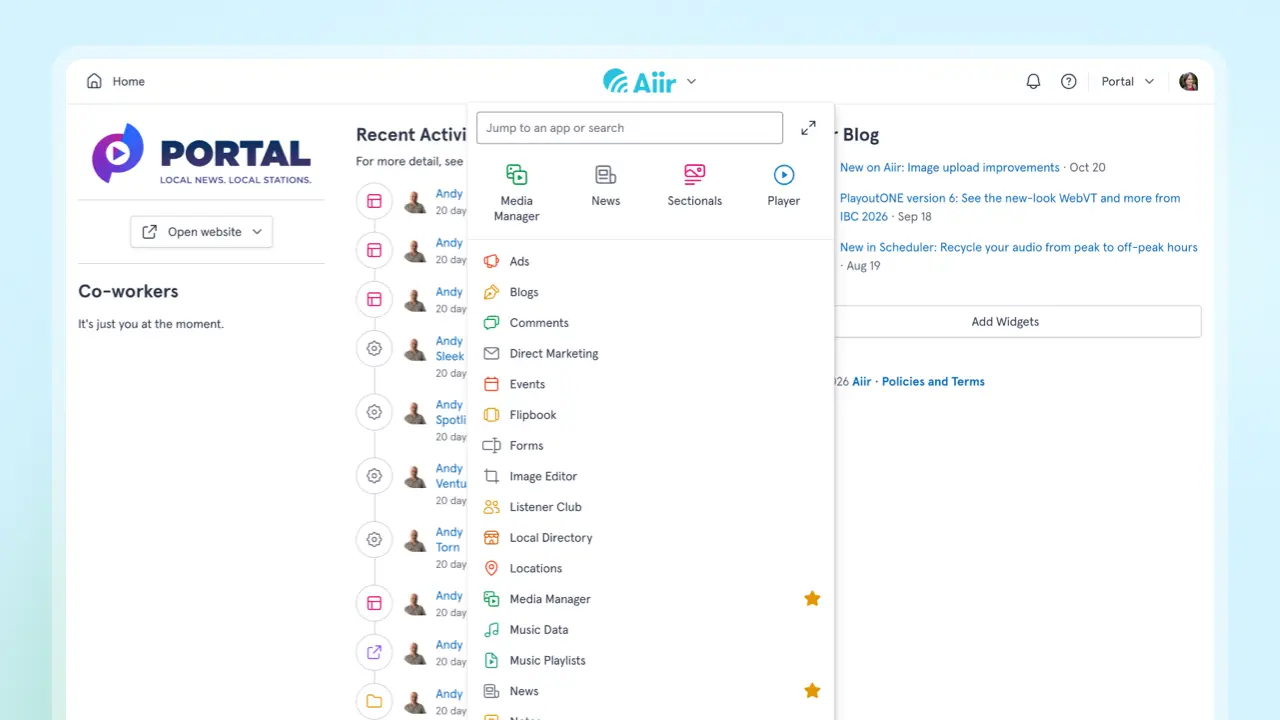
It's been a while since this had a big update - but as we've added more to the system including the music scheduler and a dark mode, it's been overdue a bit of a refresh.
This is available now as an opt-in trial - so you've got a chance to get used to it, talk about it with the team at your station, and let us know your feedback.
It's set to match your color scheme, so it's really easy to read.
Here's how it works:
- Tap the Aiir logo to open the main menu. You'll find your apps as well as the existing search. Start typing and press Enter to jump straight to an app or page.
- If you have lots of apps, they're now shown in a list that's quicker to scan. The ones you use most are at the top, or you can star one to pin it there instead. Prefer a grid like before? You can switch at any time.
- Tap your organization's name to find Admin, or to switch organization.
- The Home button is on the left, and notifications, support and the account menu are on the right.
- There are keyboard shortcuts too: Shift+J for the main menu, Shift+H for Home, and Shift+N for notifications.
We know it can be surprising when there's changes to anything that you use everyday - so there's no immediate changes when you log in today. But we'd love for you to try it - just open your user navigation by tapping your avatar.
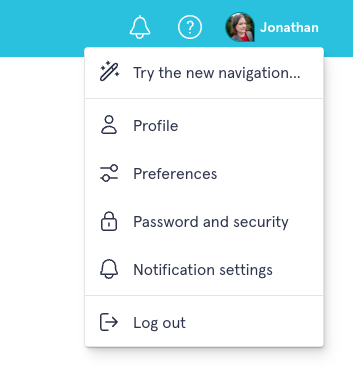
And you'll be able to switch back at any time from the same menu.
We've been using this for a while internally and we're really excited to share it with you all. If you've got any thoughts, comments or questions please let us know - just email us at support@aiir.com.