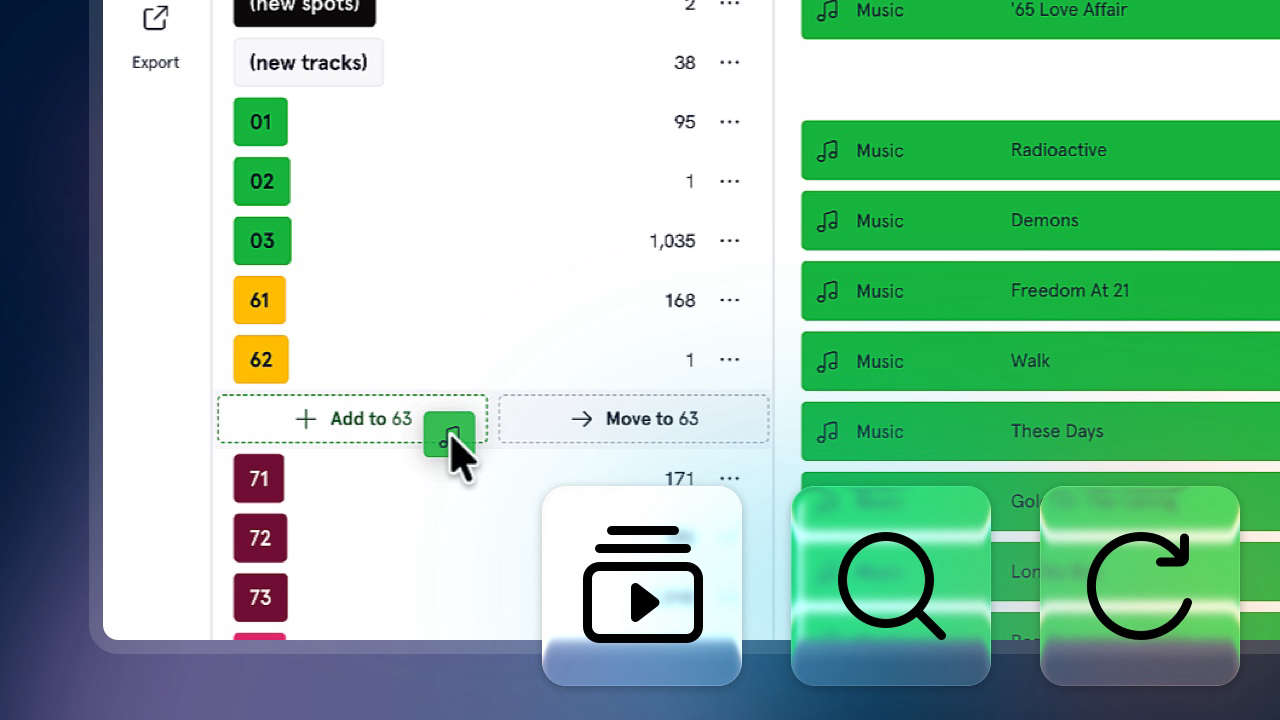
Today we're announcing a series of improvements to our web-based music Scheduler, all part of making it as smooth to use as possible!
Previous searches
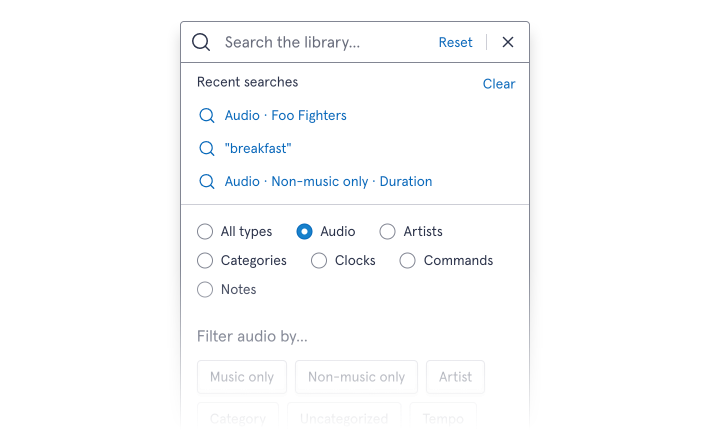
The search feature is full of powerful filters that can be combined to find exactly what you're looking for - and sometimes you may want to go back to them. So rather than requiring you to put those options in again, how about just tapping to redo that search?
When you open the search bar, we'll now show your three most recent searches.
Automatic updates
Once you've finished scheduling, you no longer need to press a button to see your new logs - or to refresh your log overview. If you've got them open, they'll now automatically update whenever an hour is scheduled - or unscheduled!
This includes if someone else, on another device, schedules an hour in your library. When it's complete, you'll see the changes appear on your device too.
No longer needing to press a button to refresh might seem like a small change - but it feels great when you're using it, and it's an important step in our ongoing work to make it easy to collaborate with other people while scheduling your station...
Category improvements
We've got a trio of new shortcuts when you're working with categories:
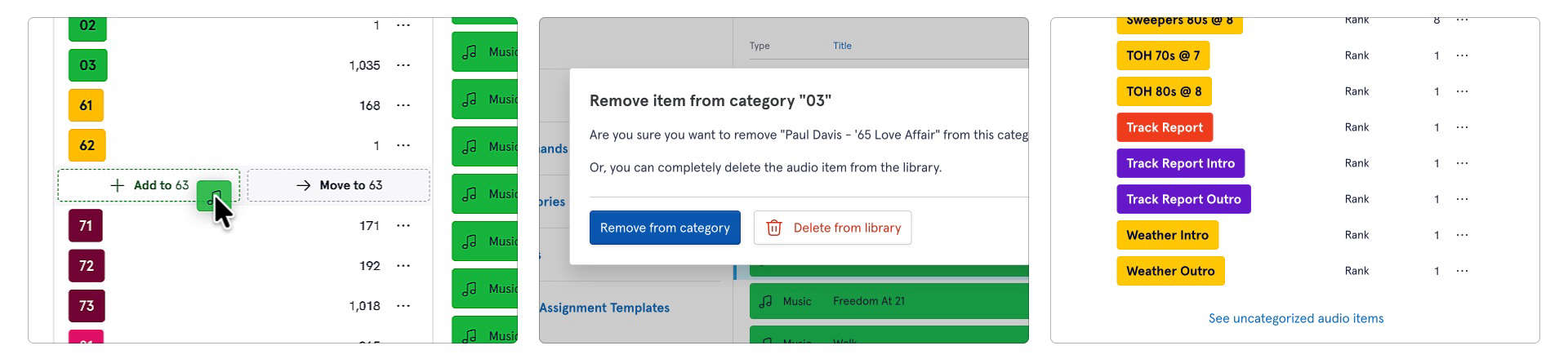
Moving between categories: You can now drag audio items from one category into another easier. Just have one category open, and the list of categories open in another view (whether that's the drawer or the main view, either way round works). Select and drag items over the list and drop them into the named category. There's two options here: as you hover over, you can either move the item out of its current category and into the new one, or just add it in so it remains in both. It's up to you!
Remove or delete: In some scheduling systems, audio items live within a single category. This means if you remove them from it, the audio is gone from your library. But in our Scheduler, that's not the case as they can be in one, none, or many categories. So now when you remove audio from a category, we'll ask if you want it gone from just the category - or the library altogether. It's particularly useful when combined with the new multi-select feature to help you keep on top of library management.
Uncategorised items: The search filters let you find audio that's not in any category - but to save you time, we've added a handy little shortcut to see them all with a click. There's a new option at the end of the category list to load this search.
And also...
- Unscheduling logs is now even faster, plus you can see real-time progress updates.
- It's easier to set up your station dayparts - create and edit them on the same screen you assign them to hours across the week
- In the Artists view of your library drawer, you can now select multiple at once - great for tidying up old data.
- You can now create a new category directly from the 'new' button on the drawer.
- We now highlight weekends differently on the audio history views.
We hope these changes help make Scheduler feel even more intuitive - and they're all available right now to all users. There's no need to update, you're always on the latest version.
If you've not given it a go yet - don't forget you can try it for free, no commitment, for 14 days. Simply import your existing data and see how easy it is to use! You can find our more on the Scheduler section of our website, or watching our extended video tour from the NAB Show floor.