
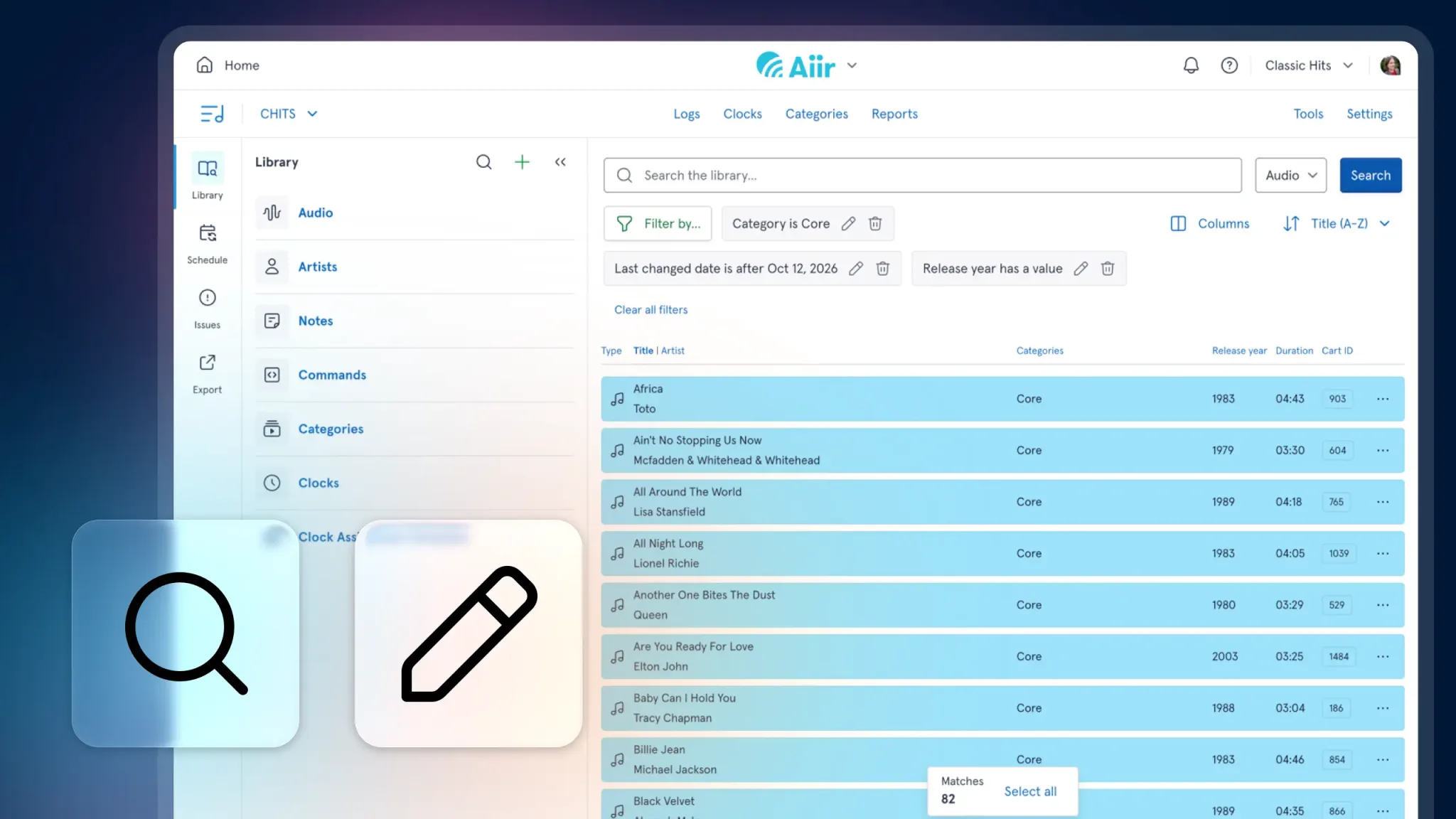
We've released two major new features for our web-based music scheduler for radio to give you even more control when browsing and editing items in your library: expanded search and mass changer.
Expanded search
When you open the search from your library drawer, you'll see that it's been cleaned up a bit - with fewer options showing initially, just your text search, type, and buttons to filter audio or artists.
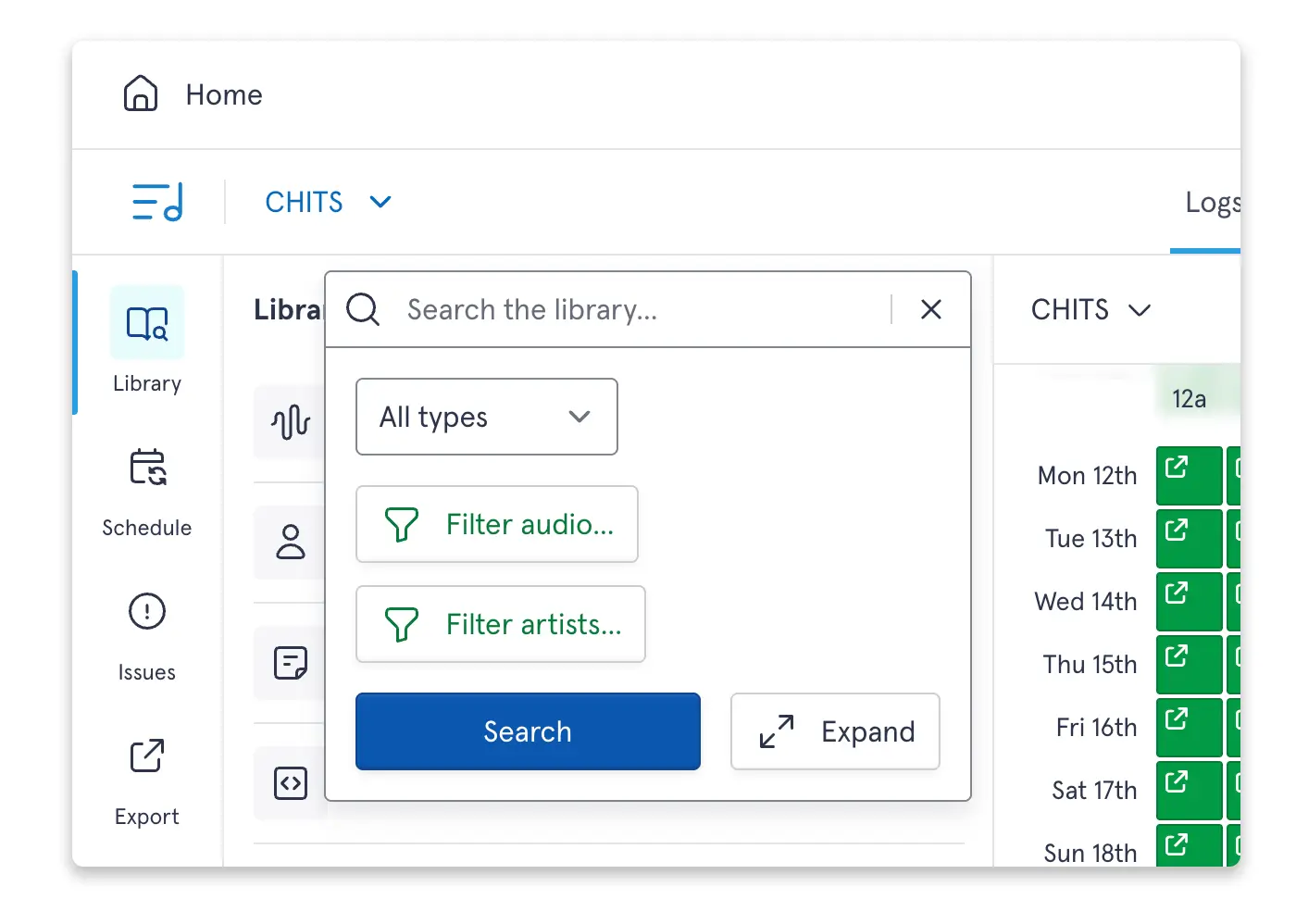
All of the existing filters are still available via those two buttons - and so many more. You've got more ways to find the exact items you're after, searchable by almost any property of the audio. So if you want to search for audio in a specific category, released after a given year, that was edited by a particular user, with your chosen tag... you can!
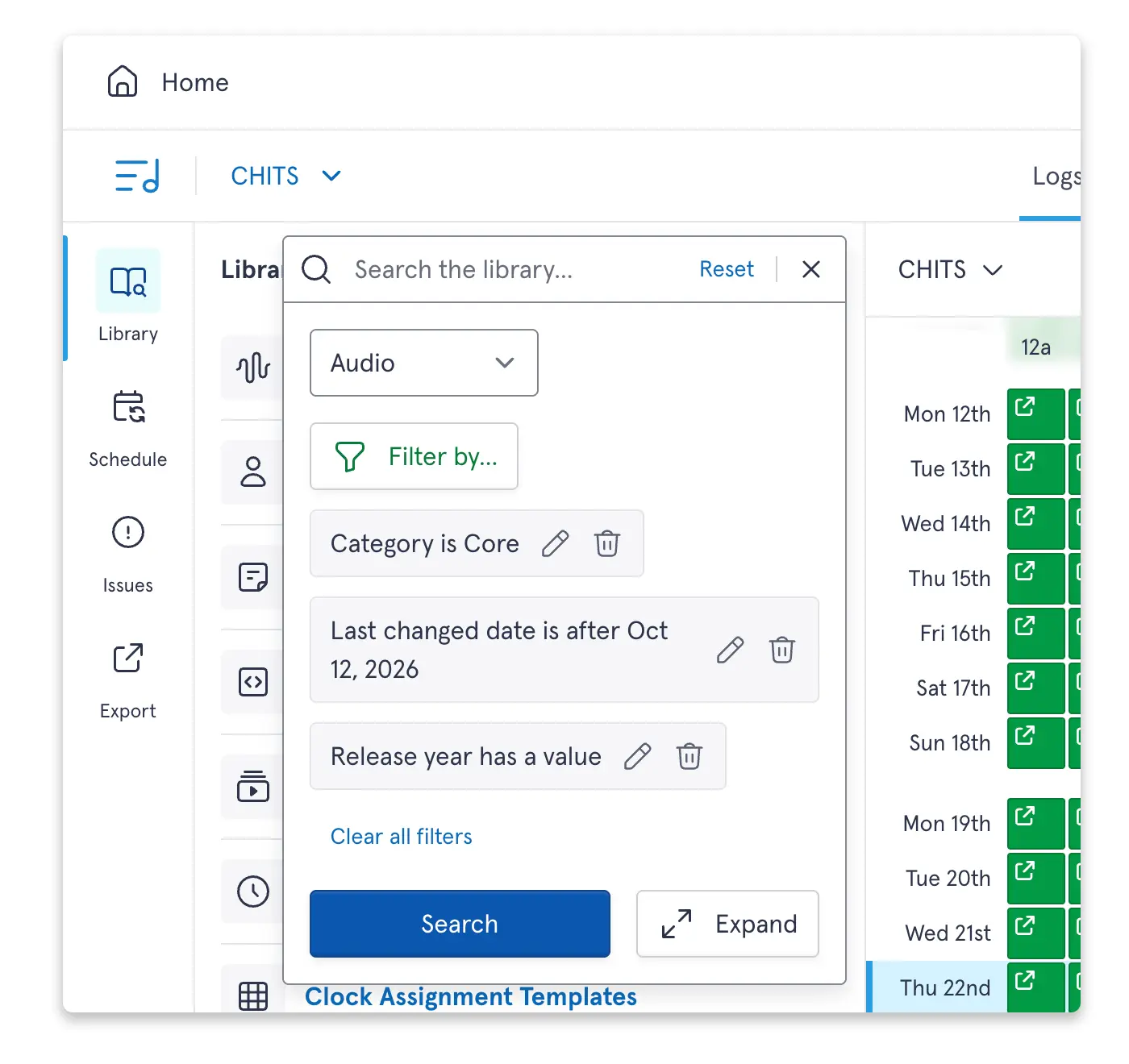
But with that level of power you may want to see more information in the results too. Well, you can do that too.
From either the search window or results page, you can now press the 'Expand' icon. This will flip your search into the main view, giving you a full screen version of your library.
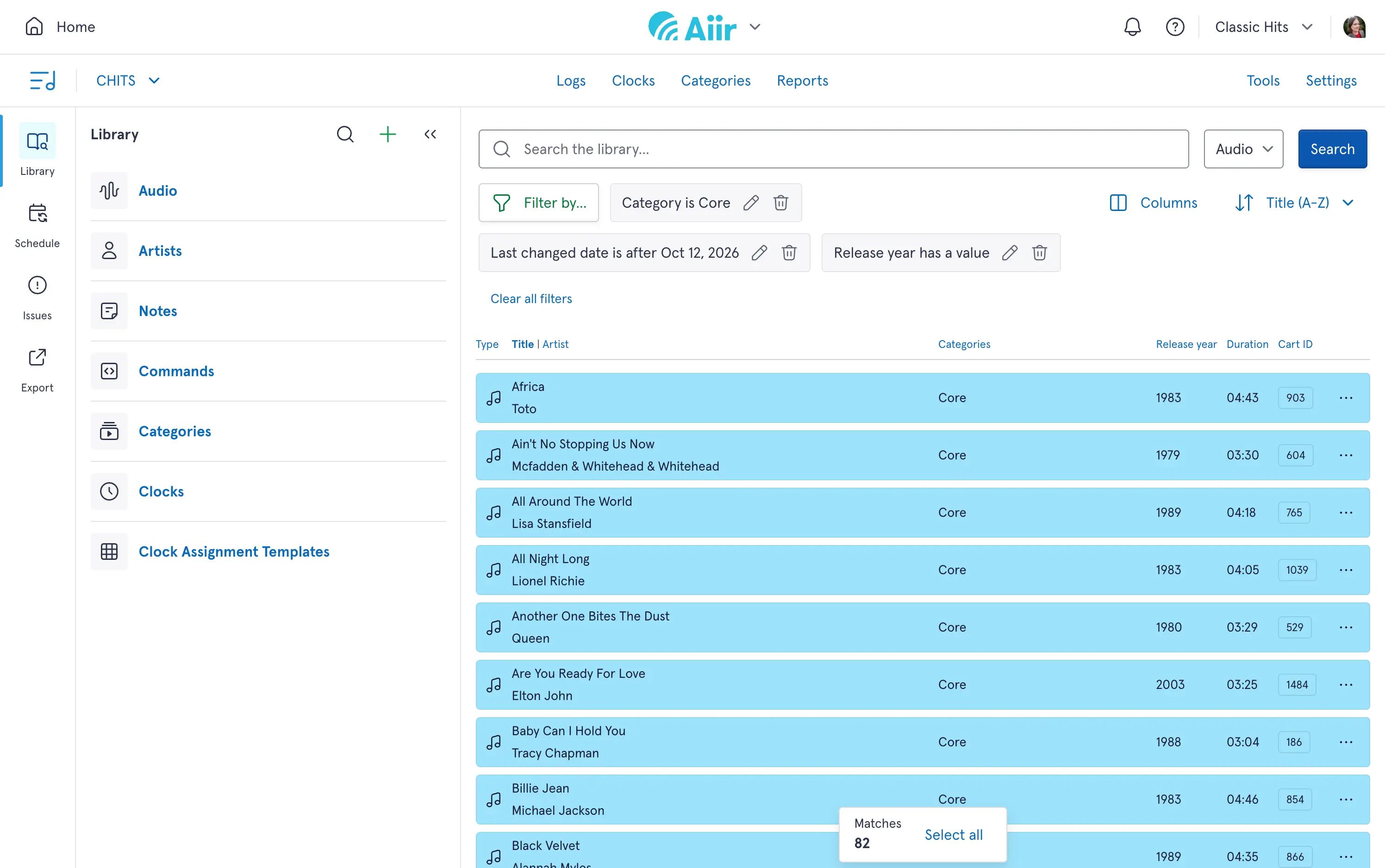
We'll show more information by default than the drawer and you can customize which columns are shown. This will only affect your own view, so you can change it to match whatever you currently need.
As you can elsewhere, you can select multiple items at once to copy and paste, but you can now export a CSV of those items. But what if you want to edit them...?
Mass changer
That's where the second part of this announcement comes in: A new tool that'll allow you to make edits to large portions of your library at once.
You can access it two ways. Firstly, through the search: just select multiple items and press 'Mass change' from the toolbar at the bottom of your screen.
Or you can go to the Tools section. This lets you take your entire library and filter it down to just the items you need. It's got all the power of the new search, but so much more - you can build up a set of filters in advance, save your progress and then run the change when you're ready.
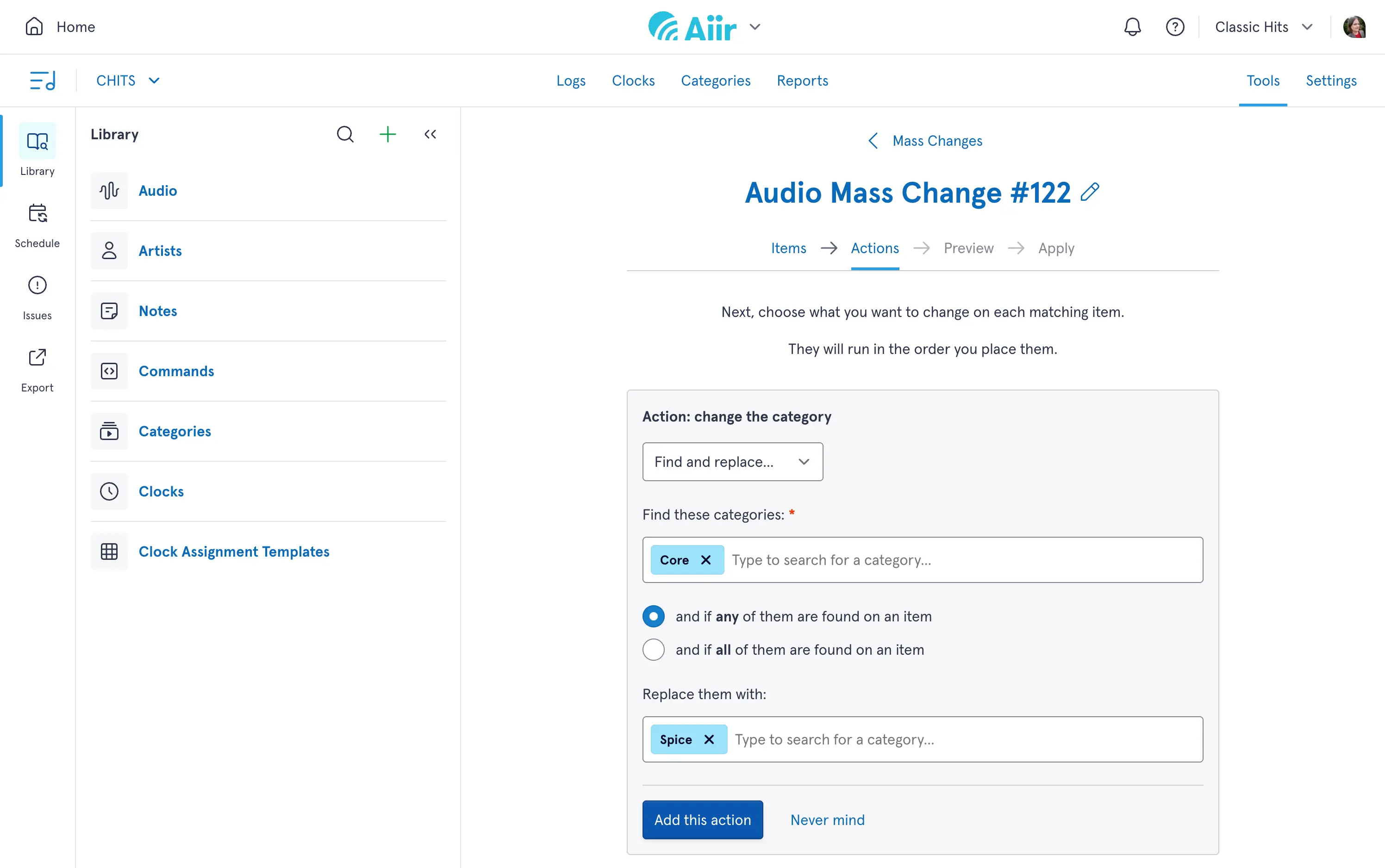
You can edit audio and artists through this - and the actions can include adding specific text to the start or end of fields, replacing one value with another or splitting up artists. Adding a tag or custom field value to every item based on the category they're in? Easy.
Our mass changer will walk you through exactly what edits will happen to your items. You'll see a preview of the filtered items to make sure the right ones are selected, set up the actions to change those fields, and then see a before and after comparison so you can have confidence everything will be set up correctly.
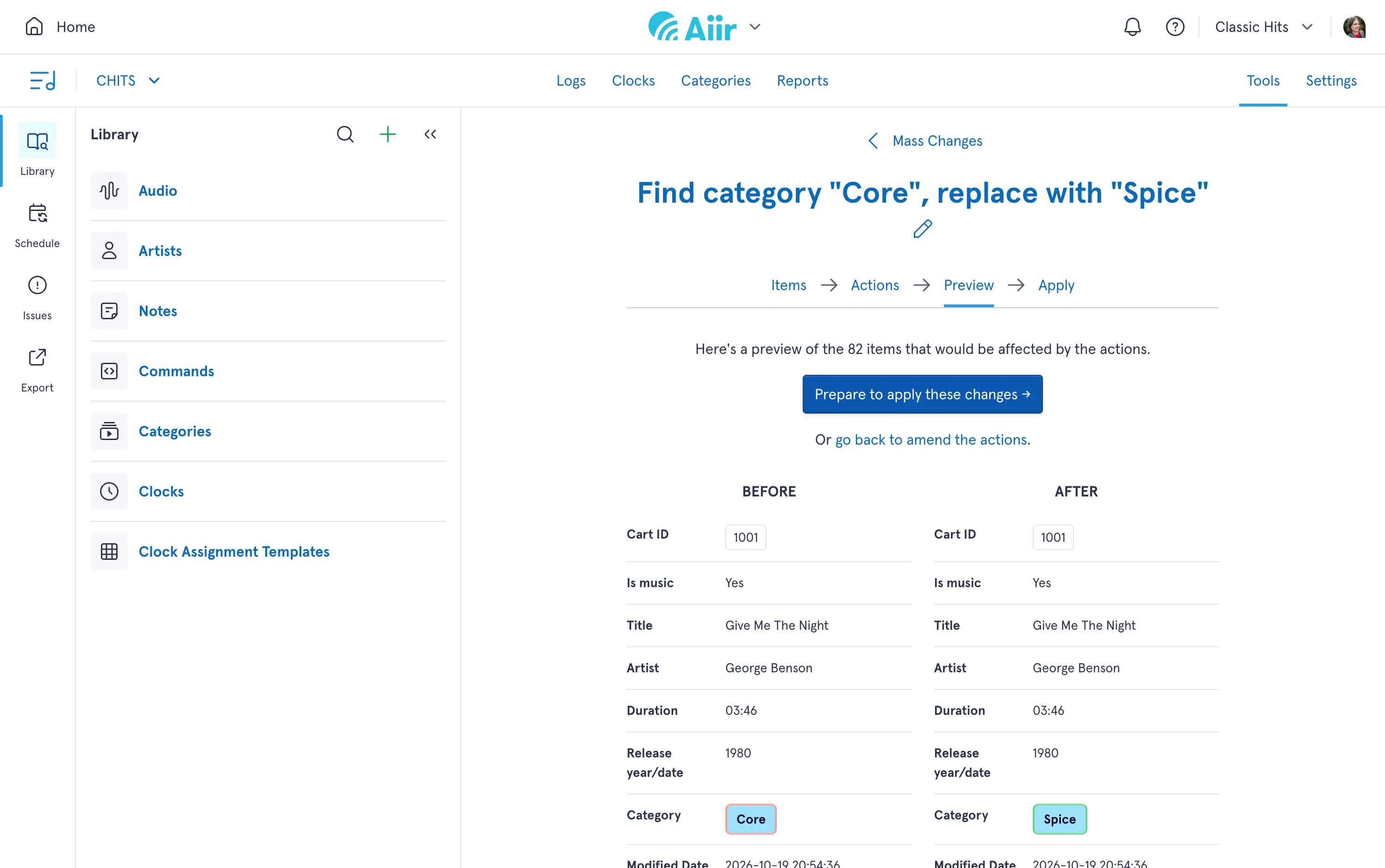
As mass changes can be quite impactful, the system will also recommend you take a backup first. Once you confirm you're happy, Scheduler will update your library.
The expanded search and mass changer are available now. You can find out more about how to use them on our support guides site: